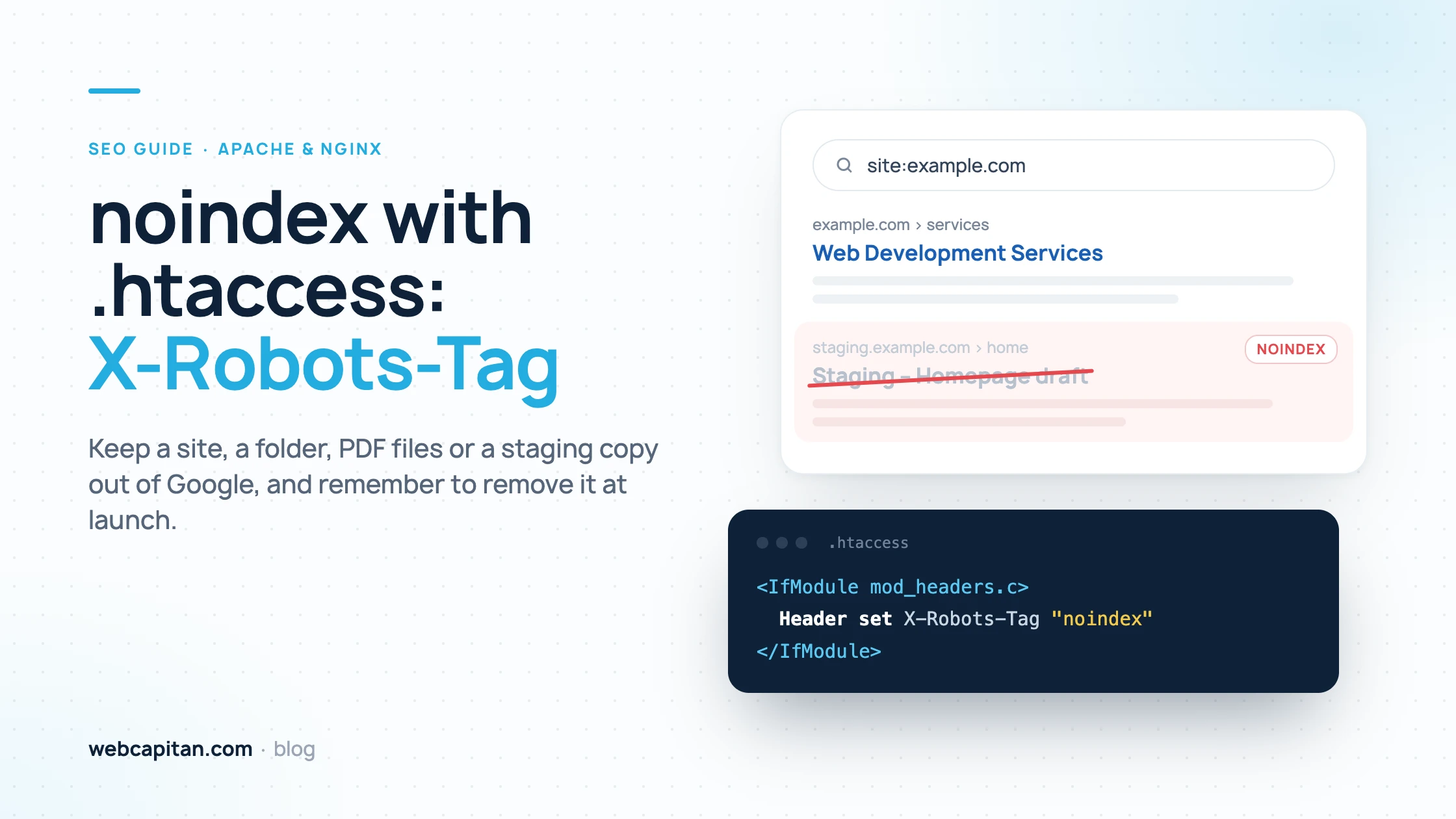
To keep pages or files out of Google with .htaccess, send an X-Robots-Tag: noindex HTTP header with Apache's mod_headers, and do not block the same URLs in robots.txt. The header works for any file type, including PDFs, and can cover a whole site, one folder, chosen file extensions or only a staging hostname.
Below are working Apache 2.4 snippets for each case, the Nginx equivalent, how to test the header and the launch step people most often forget.
noindex vs robots.txt: which one keeps a page out of Google?
noindex keeps a page out of search results; robots.txt only stops search engines from crawling it, and the two should not be combined on the same URL.
A Disallow rule in robots.txt tells Googlebot not to fetch a URL, so Google never sees a noindex tag or header on it. A blocked URL can still be indexed if other pages link to it: it appears in results without a description, because Google knows the address but not the content. noindex works the other way round: Google crawls the page, reads the instruction and drops the page from its index.
- Use noindex when a URL must not appear in search results.
- Use robots.txt to save crawl budget on unimportant URLs, such as internal search results.
- Never do both on the same URL: the robots.txt block hides the noindex.
What the X-Robots-Tag header is
X-Robots-Tag is an HTTP response header that carries the same instructions as the robots meta tag, but works for every type of file, not only HTML pages.
A <meta name="robots" content="noindex"> tag can only live inside an HTML document. A PDF, a Word file or an image has no <head>, so the instruction has to travel in the HTTP headers. The common values are noindex (do not show this URL in results), nofollow (do not follow its links) and noindex, nofollow (both).
Apache sets the header with the Header directive from mod_headers, which is enabled on almost every host. Wrapping it in <IfModule mod_headers.c> prevents a 500 error if the module is missing, but then the rule is silently ignored, which is why testing matters.
How to noindex a whole site with .htaccess
To noindex every URL on a site, add a Header set X-Robots-Tag rule to the .htaccess file in the site's root folder.
Open the .htaccess in the document root (often public_html) and add these lines at the top, above any CMS rewrite rules:
<IfModule mod_headers.c>
    Header set X-Robots-Tag "noindex, nofollow"
</IfModule>
Every page, image and file served from that folder and its subfolders now carries the header. Use "noindex" alone if search engines should still follow links from these pages.
How to noindex one folder
To noindex only one folder, put a separate .htaccess file with the same rule inside that folder.
Apache applies .htaccess files from the root down, so a file in /downloads/ affects only URLs under /downloads/. Create /downloads/.htaccess with:
<IfModule mod_headers.c>
    Header set X-Robots-Tag "noindex"
</IfModule>
This only works for real folders on disk. A route generated by a CMS, such as /thank-you/ in WordPress, has no directory to put the file in; use the noindex setting of your SEO plugin for those pages.
How to noindex PDF files and other file types
To noindex PDFs and other documents, wrap the header in a <FilesMatch> block that matches their extensions.
Add this to the root .htaccess to cover PDF and Word files across the site:
<IfModule mod_headers.c>
    <FilesMatch "\.(pdf|docx?)$">
        Header set X-Robots-Tag "noindex, nofollow"
    </FilesMatch>
</IfModule>
The pattern is a regular expression: docx? matches both .doc and .docx, and more extensions are added with pipes, for example (pdf|docx?|xlsx?). Matching is case-sensitive; use "(?i)\.(pdf|docx?)$" if some files are named .PDF.
How to noindex a staging site
For a staging site, send a noindex header for the staging hostname and, more importantly, put the site behind a password.
If staging has its own folder, the whole-site rule above is enough. When staging and production are deployed from the same code, the .htaccess travels with it, so make the rule depend on the hostname and it can never fire on the live domain:
<IfModule mod_headers.c>
    SetEnvIfNoCase Host "^staging\." NOINDEX
    Header set X-Robots-Tag "noindex, nofollow" env=NOINDEX
</IfModule>
SetEnvIfNoCase (from mod_setenvif) sets the variable NOINDEX only when the Host header starts with staging., and env=NOINDEX adds the header only for those requests. Adjust the pattern to your hostname.
noindex alone is a weak lock: anyone with the URL can still open the site. HTTP Basic authentication closes it to everyone without a password:
AuthType Basic
AuthName "Staging"
AuthUserFile /home/youraccount/.htpasswd
Require valid-user
Create the password file outside the web root with htpasswd -c /home/youraccount/.htpasswd username; AuthUserFile needs the absolute path. At Webcapitan we close our own staging sites with both an X-Robots-Tag noindex header and Basic auth, so a mistake in one still leaves the other in place. For other options, see how to hide a website from search engines and users during development.
The Nginx equivalent
Nginx does not read .htaccess files; the same header is added with add_header in the server configuration.
For a whole site, put this inside the server { } block; for PDFs and Word files only, use the location block:
add_header X-Robots-Tag "noindex, nofollow" always;

location ~* \.(pdf|docx?)$ {
    add_header X-Robots-Tag "noindex, nofollow" always;
}
always sends the header with every response code. One trap: a location block with any add_header of its own does not inherit those set at server level. Test with nginx -t and reload Nginx after editing.
How to check that noindex works
Check the response headers with curl -I, then confirm with the URL Inspection tool in Google Search Console.
curl -I https://staging.example.com/
curl -I https://example.com/files/price-list.pdf
The output should contain x-robots-tag: noindex, nofollow (HTTP/2 prints header names in lower case). If it is missing, mod_headers may be disabled, .htaccess overrides may be turned off, or a cache or CDN may serve an old copy. Run the same command on a URL that must stay indexed to confirm the header is not there.
In Search Console, inspect the URL and click Test live URL: it should report that indexing is not allowed because noindex was detected in the X-Robots-Tag HTTP header. Already indexed pages drop out after Google recrawls them.
How to remove noindex at launch
At launch, delete the X-Robots-Tag rule from the live site and confirm with curl -I that the header is gone.
A noindex left over from staging is one of the most common launch mistakes, and nothing looks broken: the site works, it just stops appearing in Google. Add these checks to your launch list:
- Remove the X-Robots-Tag rule, or confirm the hostname condition does not match the live domain.
- Remove Basic auth.
- Check that robots.txt does not contain
Disallow: /, and that the CMS "discourage search engines" option is off. - Run
curl -Ion the home page and key pages. - Request indexing in Search Console and submit the sitemap.
Our WordPress migration service includes these checks, and our SEO team can audit indexing on an existing site.
Frequently asked questions
Can I add noindex in robots.txt?
No. Google stopped supporting noindex rules in robots.txt in 2019. Use the X-Robots-Tag header or a robots meta tag, and keep the URL crawlable.
Is X-Robots-Tag better than the robots meta tag?
On HTML pages they have the same effect. The header is the only option for PDFs and other non-HTML files and closes a whole site from one place; the meta tag is easier when you control templates but not the server.
Why is my .htaccess noindex not working?
Usually mod_headers is disabled and <IfModule> hides the rule, the server ignores .htaccess, the site runs on Nginx, or a cache serves old headers. Also check that robots.txt does not block the URL.
Does noindex remove a page from Google immediately?
No. The page drops out when Google next crawls it. You can request a recrawl in URL Inspection, and the Removals tool hides a URL temporarily in the meantime.
Conclusion
Use robots.txt to manage crawling and the X-Robots-Tag header to keep URLs out of search results. In Apache it is one Header set line, scoped to a site, a folder, file types or a hostname; in Nginx one add_header. Protect staging with a password too, test with curl -I and remove the header on launch day. Need help with a launch or a site that has vanished from Google? Contact us.
About the author

CEO & Founder, Webcapitan
Roman Yashchuk founded Webcapitan in 2014 and leads the team of 22 designers and developers in Vinnytsia and London. He works hands-on in UI/UX design, WordPress and PHP/Laravel development, and writes about choosing platforms, costs and keeping websites fast and secure.
All articles by Roman Yashchuk