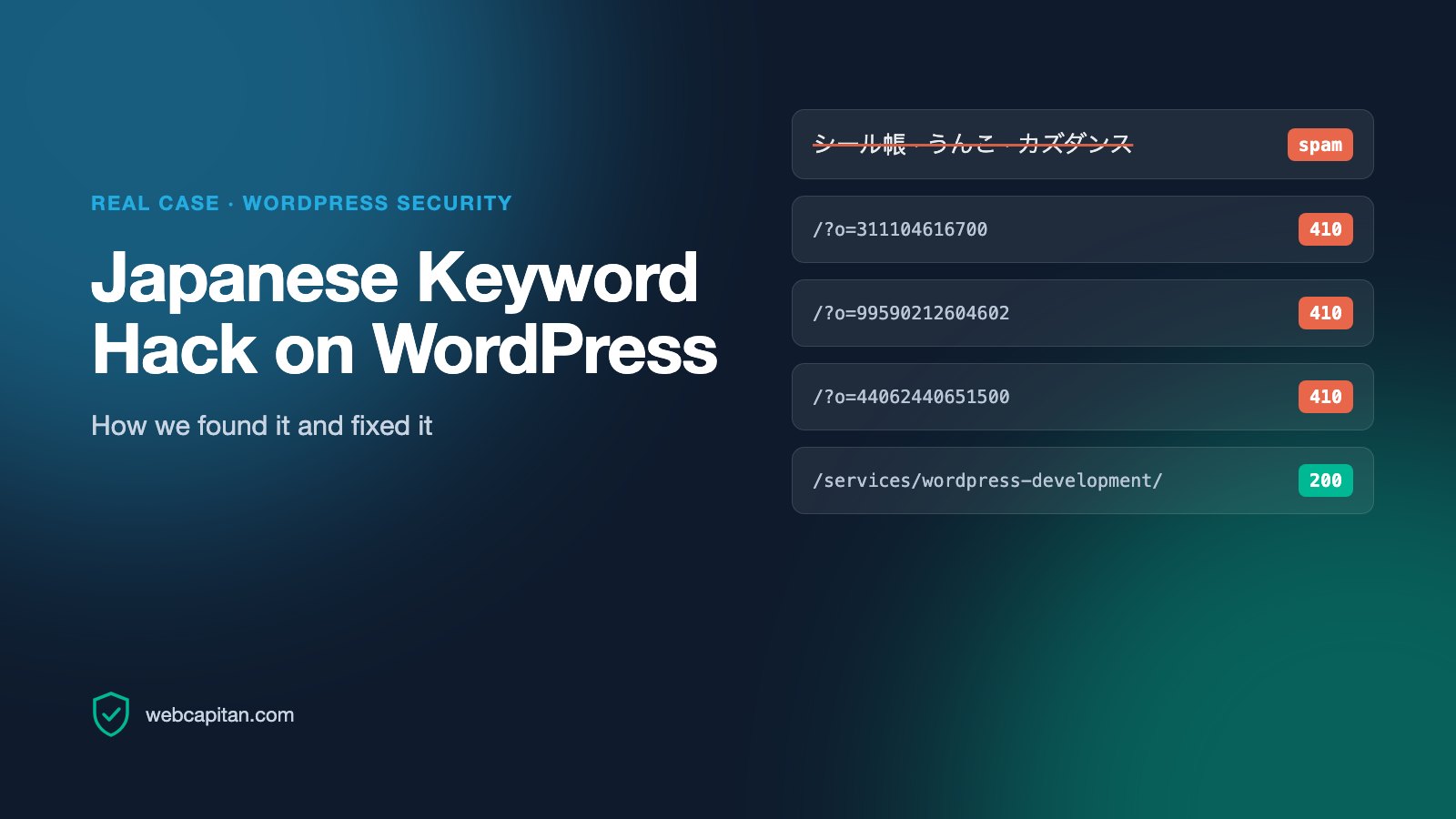
In May 2026 our own website, webcapitan.com, started ranking for Japanese searches like シール帳 (sticker book) and カズダンス (a football celebration). Nothing on the site was about either. Search Console showed thousands of URLs we never created, all shaped like /?o=311104616700. It was the Japanese keyword hack, one of the most common WordPress SEO spam attacks.
This is the full case with our real Search Console data: the symptoms, how we confirmed the hack, how we cleaned up, why the spam URLs now return 410 Gone, the Removals tool trap that nearly removed our whole site from Google, and what the numbers look like so far.
What the Japanese keyword hack is
The Japanese keyword hack (also called Japanese SEO spam) injects auto-generated pages in Japanese into a legitimate website. The pages usually sell counterfeit goods or push affiliate links, and they borrow the trust your domain has built with Google. Attackers usually get in through an outdated plugin or theme, a weak admin password or a leaked hosting account.
It is hard to spot because the spam is often cloaked: Googlebot sees Japanese pages, while you and your visitors see your normal website. Many owners only find out from Search Console or when a client mentions strange search results.
Symptoms: how the hack showed up for us
1. A sudden spike of impressions for URLs we never made
The first spam impression in our Search Console data is dated 13 May 2026. Three days later, on 16 May, spam URLs collected 6,571 impressions in a single day. Filtering the Performance report by pages containing ?o= made the attack impossible to miss:
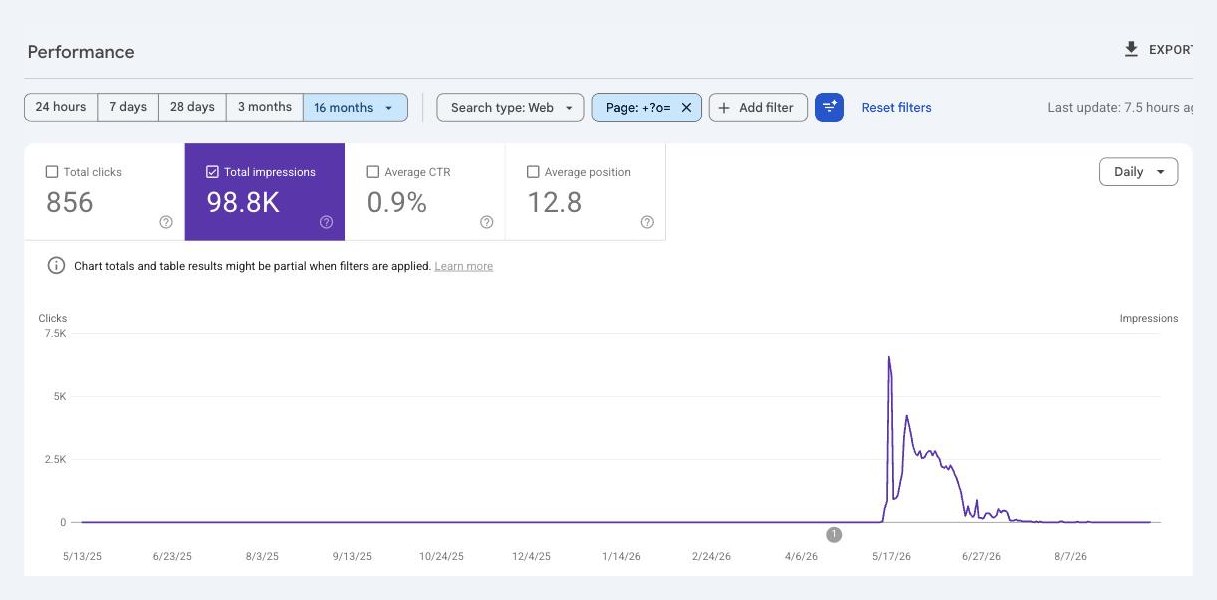
Search Console, 16 months, filtered to pages containing ?o=: 98.8K impressions and 856 clicks, all on spam URLs.
2. Japanese queries we never targeted
The Queries tab for those pages was almost entirely in Japanese. Across the whole period we counted 14,946 different queries that led to spam URLs, and 12,485 of them were written in Japanese script: product names, celebrities, TV shows and even car models.
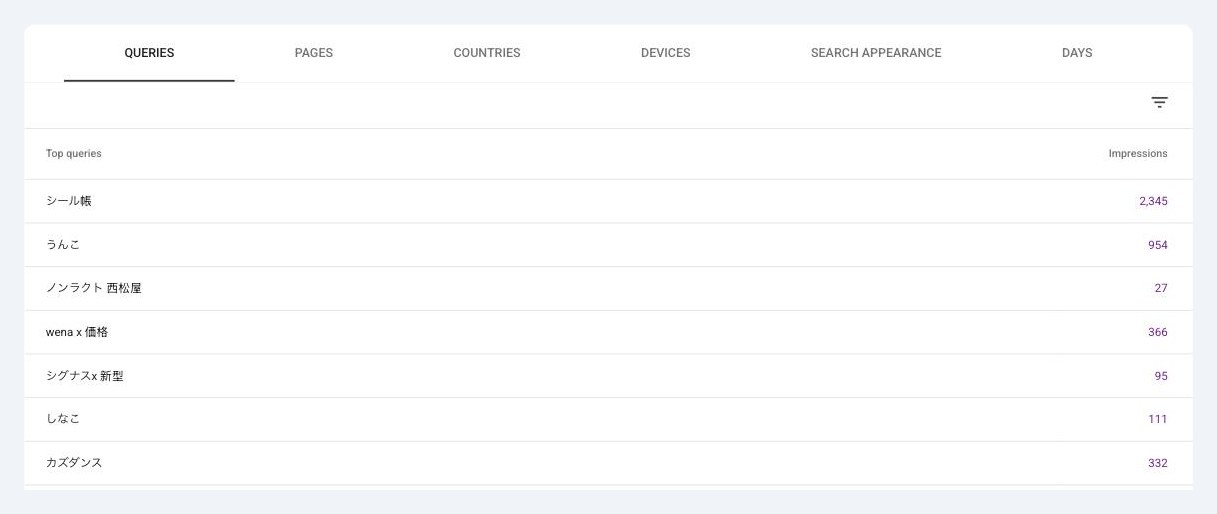
Top queries for the spam URLs: シール帳, うんこ, wena x 価格, カズダンス and thousands more.
3. Thousands of /?o= URLs on the home page
Every spam URL was the home page with an o parameter and a long number. Over 16 months 17,433 different spam URLs received impressions. Because they all looked like the home page with a parameter, a quick look at the site revealed nothing unusual.
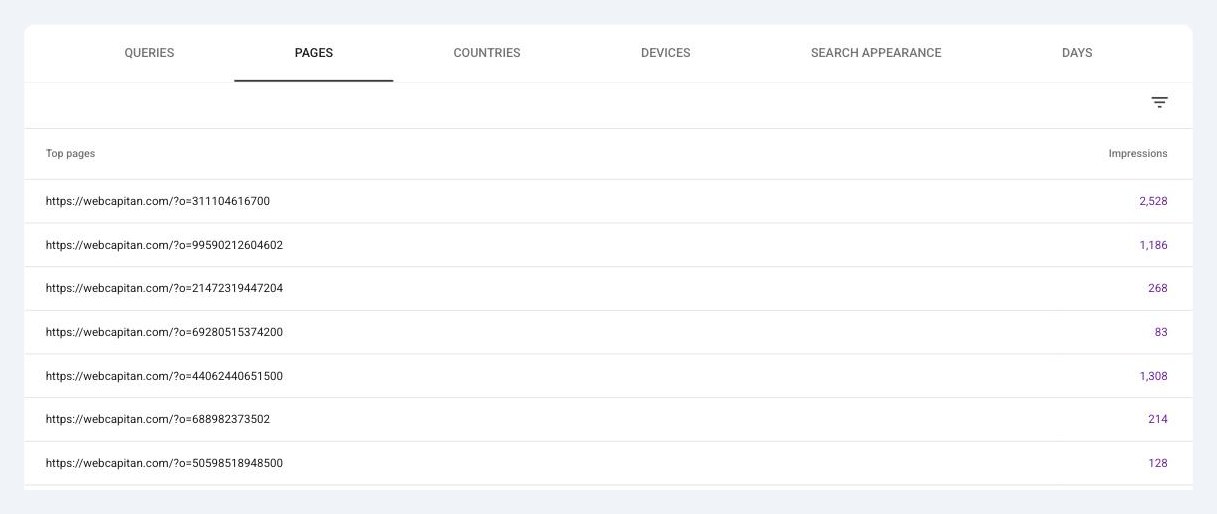
The Pages tab: every row is a spam URL like /?o=311104616700.
4. Real traffic went to spam
In May and June 2026, 833 clicks from Google landed on spam URLs instead of our real pages. In June, 74% of all our impressions came from spam. Over the same period impressions for our real pages fell from about 96,000 in May to about 16,000 in June. We cannot prove the hack was the only reason for that drop, but the timing matches.
| Signal | What we saw on webcapitan.com |
|---|---|
| First spam impression | 13 May 2026 |
| Peak day | 16 May 2026, 6,571 spam impressions |
| Spam URLs with impressions | 17,433 |
| Queries leading to spam | 14,946 (12,485 in Japanese) |
| Spam share of impressions | 34% in May, 74% in June 2026 |
| Clicks lost to spam URLs | 833 in May and June 2026 |
How to confirm a Japanese keyword hack
Before touching anything, make sure it really is a hack and find its pattern. This is the order we used:
- Search Console → Performance. Open Queries and look for Japanese text, then open Pages and look for URLs you did not create. Once you see the pattern (for us
?o=), add a page filter with it to measure the scale. - URL Inspection on a few spam URLs. Check the coverage status, last crawl date and referring page. On our site the referring page of each spam URL was another spam URL: the attack had built its own internal link network so Google would keep discovering new pages.
- A
site:search on Google. Searchsite:yourdomain.comtogether with a Japanese word from your queries. Hacked pages show Japanese titles and descriptions in the results. - Compare what a visitor and Googlebot receive. Request a spam URL with a normal browser user agent and with the Googlebot user agent (for example with curl), then compare the HTML. Different content means cloaking.
- Security issues and Manual actions. Check both reports in Search Console. Do not treat "No issues detected" as a clean bill of health: Google flagged nothing on our site during the whole attack.
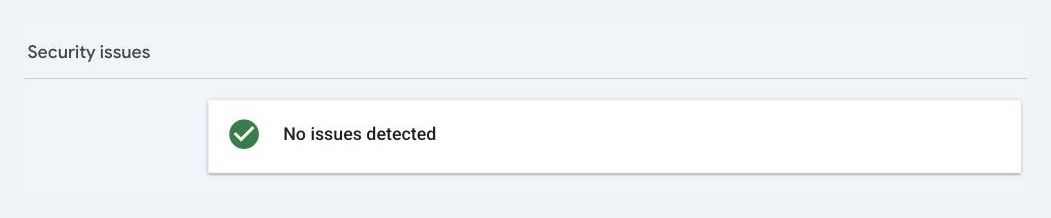
Security issues: "No issues detected", even with thousands of spam URLs in the index.
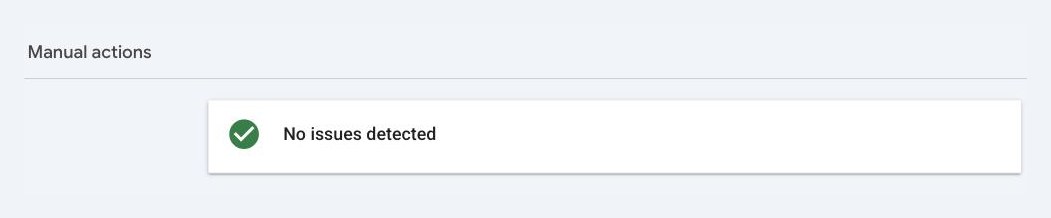
Manual actions: also clean. The hack did not trigger a penalty, but it still took over our search traffic.
Cleaning the site
There are two ways out: clean the existing WordPress installation, or rebuild. We were already moving webcapitan.com from WordPress to a new custom stack, so we chose the rebuild:
- The new site went live on 14 September 2026 with exactly the same URLs for every real page, so no rankings were lost to redirects.
- The old WordPress installation was archived on a separate subdomain with
noindexon every response and aDisallow: /robots.txt. The login page,xmlrpc.php, the admin area and the REST API user list are blocked there. - By then the archived WordPress no longer served Japanese content: a
/?o=URL returned the ordinary home page to both a browser and the Googlebot user agent. That is exactly why these URLs are dangerous. They look harmless, but Google keeps them as thousands of duplicate pages until it is told they are gone.
If you stay on WordPress, clean it in this order: lock down access first, take a full backup, replace WordPress core, themes and plugins with fresh copies from their official sources, then look for what fresh copies do not replace:
- unknown administrator accounts in WordPress and unknown owners in Search Console;
- modified
.htaccess,index.phpandwp-config.phpfiles; - PHP files inside
wp-content/uploads, which should only contain media; - injected options and scheduled tasks in the database, and sitemaps you did not create;
- new passwords for WordPress, hosting, FTP/SFTP and the database, plus 2FA for admins.
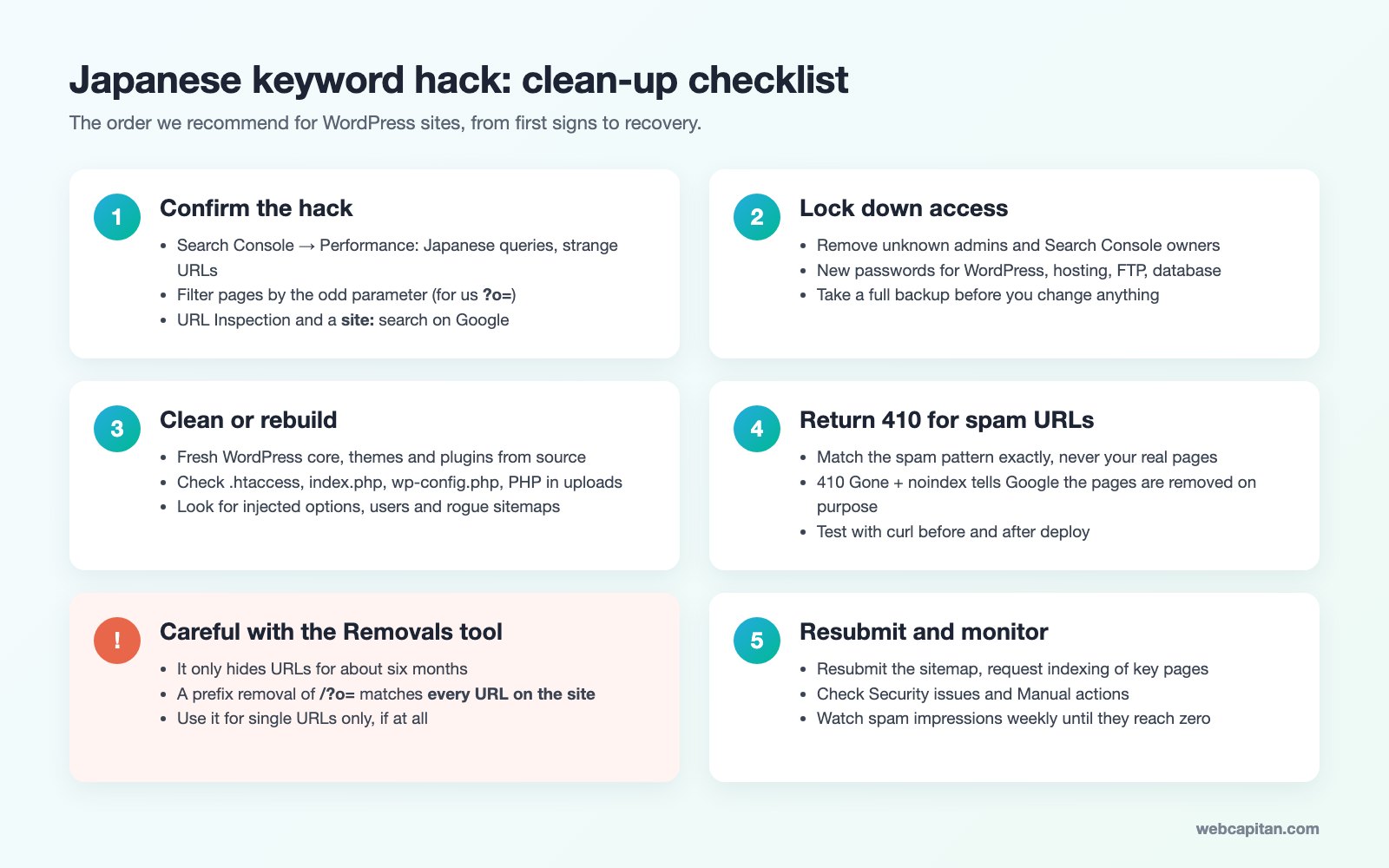
Our clean-up checklist for WordPress sites hit by the Japanese keyword hack.
Return 410 for the spam URLs
After cleaning, the spam URLs must stop returning 200. Google treats both 404 and 410 as a sign that a page no longer exists, but 410 Gone is the clearer message: the page was removed on purpose and will not come back.
The rule has to match the spam and nothing else. Ours returns 410 only when the home page has an o parameter made of six or more digits, and adds X-Robots-Tag: noindex. Real pages, including the home page, are untouched. Always test both cases after you deploy:
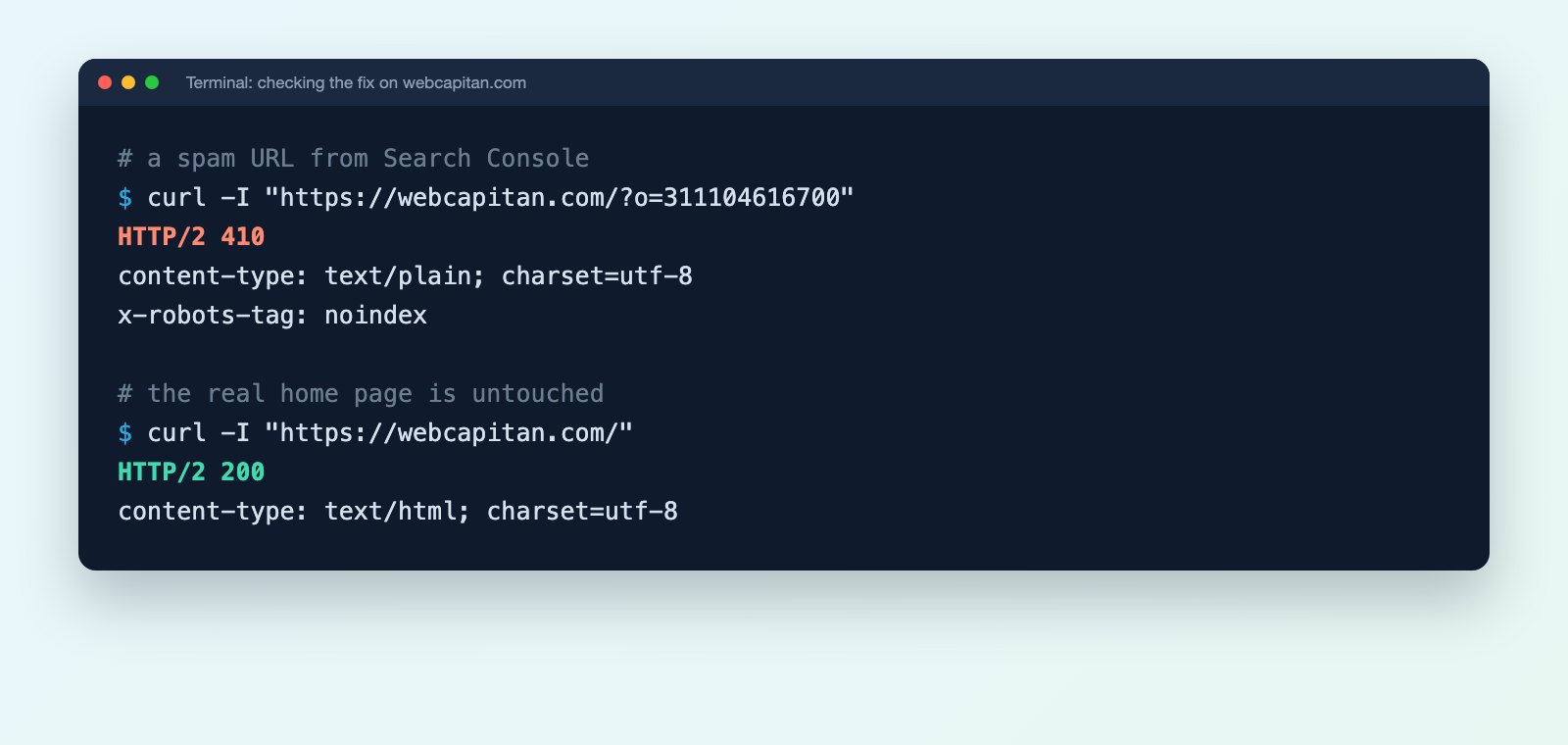
The real responses from webcapitan.com: the spam URL returns 410, the home page returns 200.
On WordPress without server access you can do the same in .htaccess:
RewriteEngine On
RewriteCond %{QUERY_STRING} (^|&)o=[0-9]{6,}(&|$)
RewriteRule ^$ - [G,L]
Do not block the spam URLs in robots.txt
This is the mistake we found in our own data. When we inspected spam URLs, several showed "Blocked by robots.txt" or even "Indexed, though blocked by robots.txt", with the last crawl in July. If Googlebot is not allowed to fetch a URL, it never sees the 410 and can keep the URL in its index for a long time. Let Google crawl the spam URLs so it can see that they are gone.
The Removals tool: useful, but read the warning first
Search Console's Removals tool hides URLs from Google results for about six months. It does not remove them from the index, so it only helps while the 410s do the real work. It is worth using for a handful of URLs that show up for your brand name.
The trap is the "Remove all URLs with this prefix" option. We entered /?o=, expecting it to cover all the spam. Search Console treated it as a request to remove the entire site. Query parameters are not part of a URL prefix, so the prefix was simply our home page, which covers every URL on the domain. We cancelled before submitting. If the confirmation screen mentions the whole site, stop.
So use single-URL removals for the worst spam results, or skip the tool and let 410 responses and recrawling clean the index.
Results so far
This article was published eight days after the fix went live, so it is too early for the final numbers. Here is what the data shows up to 14 September 2026:
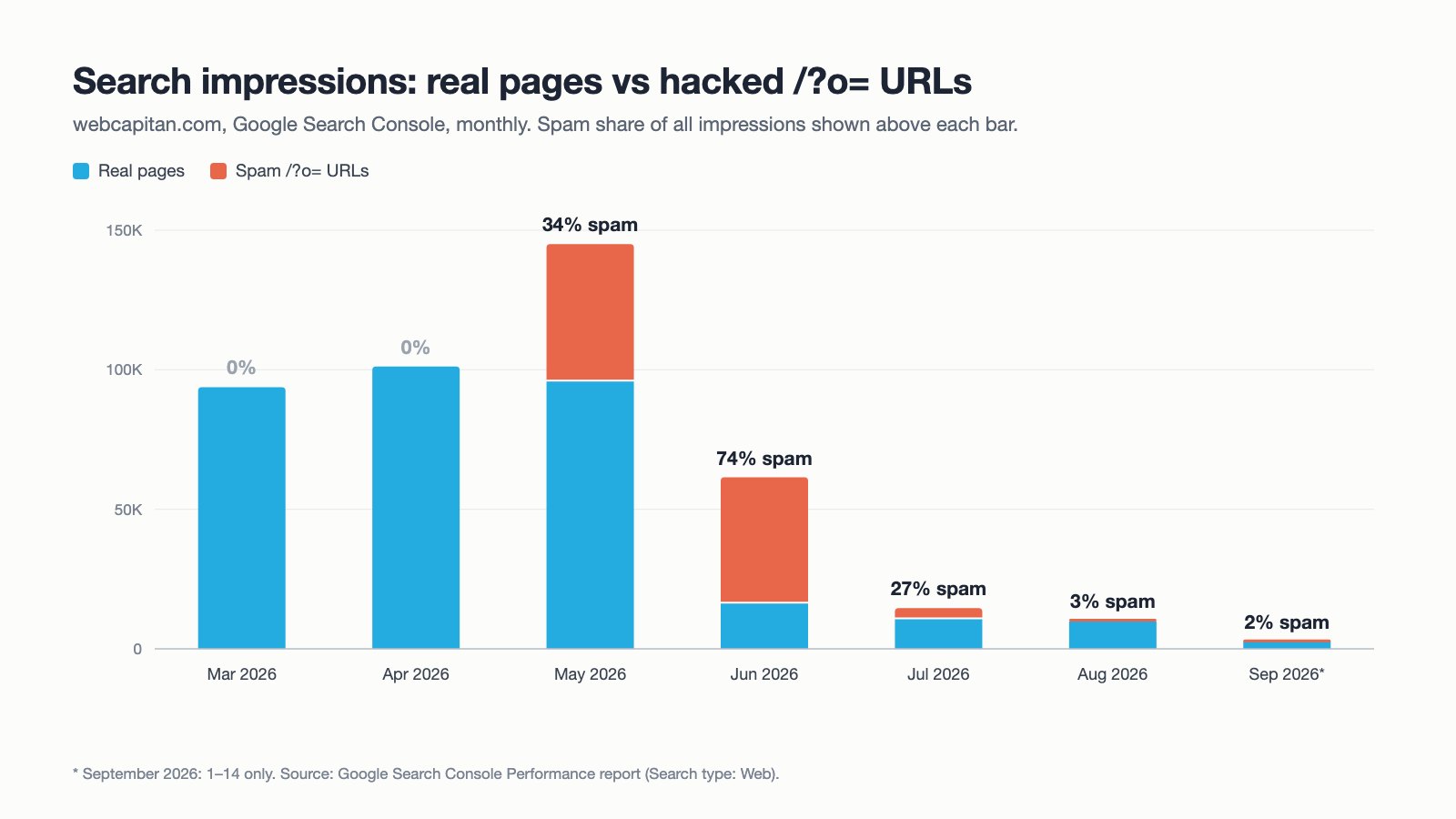
Monthly impressions for real pages and spam URLs. The spam share fell from 74% in June to 2% in early September.
- Spam share of impressions: 34% in May, 74% in June, 27% in July, 3% in August and 2% in 1–14 September 2026.
- In the four weeks before the fix, spam URLs collected only 178 impressions, down from 49,186 in May alone.
- Search Console still reports no security issues and no manual actions.
- Every spam URL now answers 410 with
noindex, the sitemap has been resubmitted and indexing of our key pages has been requested.
The part that is still to come is recovery for our real pages. We will update this article with the numbers four weeks after the fix, in mid-October 2026.
How to protect WordPress from the next hack
- Update WordPress core, plugins and themes every month, and delete anything you do not use.
- Use unique passwords and two-factor authentication for every admin account.
- Limit login attempts and block
xmlrpc.phpif you do not need it. - Keep daily off-site backups and test that they restore.
- Check Search Console Performance every week. A new language in your queries is the earliest warning you will get.
Need help with a hacked WordPress site?
We clean hacked WordPress websites, remove spam URLs from Google and put protection in place so it does not happen again. See our WordPress security service or tell us what you are seeing.
About the author

CEO & Founder, Webcapitan
Roman Yashchuk founded Webcapitan in 2014 and leads the team of 22 designers and developers in Vinnytsia and London. He works hands-on in UI/UX design, WordPress and PHP/Laravel development, and writes about choosing platforms, costs and keeping websites fast and secure.
All articles by Roman Yashchuk