If you are planning a new website, one of your first questions is probably: How much does a WordPress website cost in 2027? The honest answer is that a professional WordPress website can cost anywhere from $2,000 to $15,000. The final price depends on the design, number of pages, required features, integrations, content, and the level of customization.
That is a wide range, but there is a reason for it. A five-page website built from a proven template is a completely different project from a custom marketplace, membership platform, or multilingual corporate website.
As an agency that designs and develops WordPress websites every month, we prefer to explain what clients are actually paying for instead of publishing one attractive but unrealistic starting price. In this guide, we will break down the main cost factors, compare theme-based and custom development, share three example budgets, and show you how to reduce costs without sacrificing quality.
WordPress Website Cost in 2027: A Quick Overview
Here are realistic agency price ranges for common WordPress projects in 2027:
| Type of WordPress website | Typical cost |
|---|---|
| Simple landing page | $2,000–$4,000 |
| Small business website | $4,000–$6,000 |
| Custom corporate website | $6,000–$10,000 |
| WooCommerce store | $6,000–$12,000 |
| Membership or booking website | $9,000–$15,000 |
| Complex custom WordPress platform | $12,000–$15,000 |
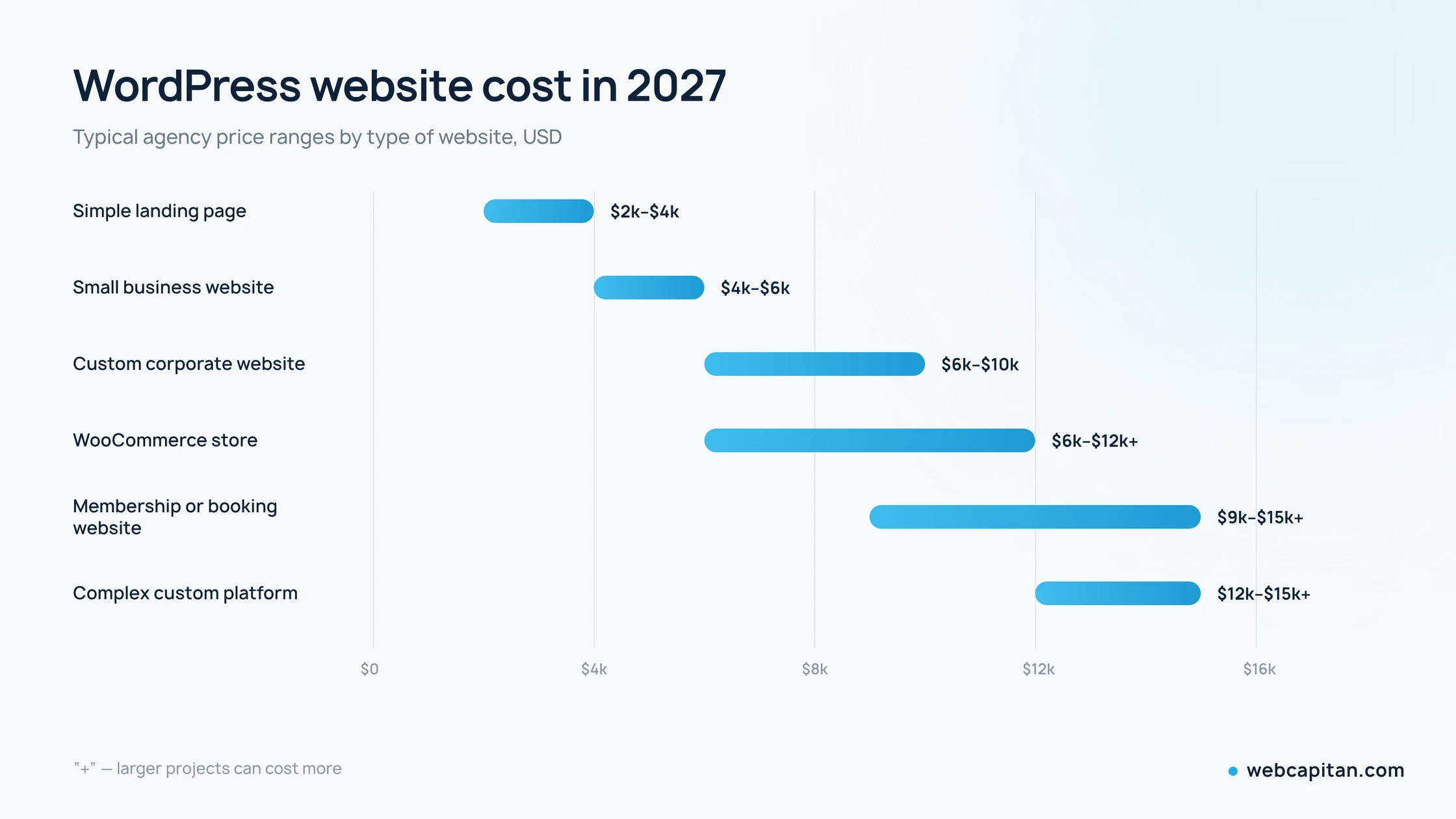
These ranges reflect what projects like these typically cost with an experienced team such as Webcapitan. DIY website builders may look cheaper at first, while large agencies in the US, UK, Canada, or Western Europe often quote considerably more for the same scope.
The WordPress software itself is free and open source. However, a business website still requires strategy, UX/UI design, development, testing, content, hosting, security, and ongoing support. You are not paying for WordPress; you are paying for the professional work required to turn it into a reliable business tool.
What Drives the WordPress Development Cost?
The biggest mistake is estimating a website only by the number of pages. Page count matters, but two ten-page websites can have completely different budgets. One may use standard layouts and basic contact forms, while the other includes custom animation, multilingual content, CRM integration, dynamic filtering, and several user roles.
The following factors have the greatest impact on the total WordPress development cost.
1. Website Scope and Number of Unique Pages
A page does not always require a completely new design. For example, twenty blog posts can use one reusable article template. A corporate website may have fifteen published pages but only six unique layouts.
The cost increases when a project needs more unique page types, such as:
- Home page
- Service and service-detail pages
- About and team pages
- Portfolio and case-study templates
- Blog and article templates
- Contact or quote-request pages
- User dashboards or account areas
More unique layouts mean more time for planning, design, responsive development, content entry, and testing.
2. UX/UI Design
A website assembled from an existing theme costs less than one designed from scratch in Figma. Custom UX/UI work may include competitor research, sitemap planning, wireframes, visual concepts, reusable components, mobile layouts, and design revisions.
For a serious business, design is not only decoration. It determines how clearly the website communicates its offer, how easily visitors find information, and how effectively pages convert traffic into leads or sales.
A small custom design may add $800–$2,100 to the budget. Design for a larger corporate website, web application, or e-commerce store can cost $2,400–$7,000 or more.
3. Functionality
Standard functionality is usually affordable because WordPress already has a mature ecosystem. Contact forms, blog management, galleries, basic search, testimonials, and simple product catalogs can often be implemented efficiently.
The price rises when the website needs features such as:
- Online booking or appointment scheduling
- WooCommerce and custom checkout logic
- Memberships and paid subscriptions
- User registration and personal accounts
- Advanced search and filters
- Interactive maps
- Calculators or quotation tools
- Multiple languages
- Custom post types and complex admin fields
- Marketplace functionality
Every custom feature needs planning, development, validation, and testing. It must also work well on mobile devices and remain maintainable after launch.
Theme-Based vs. Custom WordPress Development
One of the main choices affecting the custom WordPress website price is whether to use a ready-made theme or create a custom design and theme.
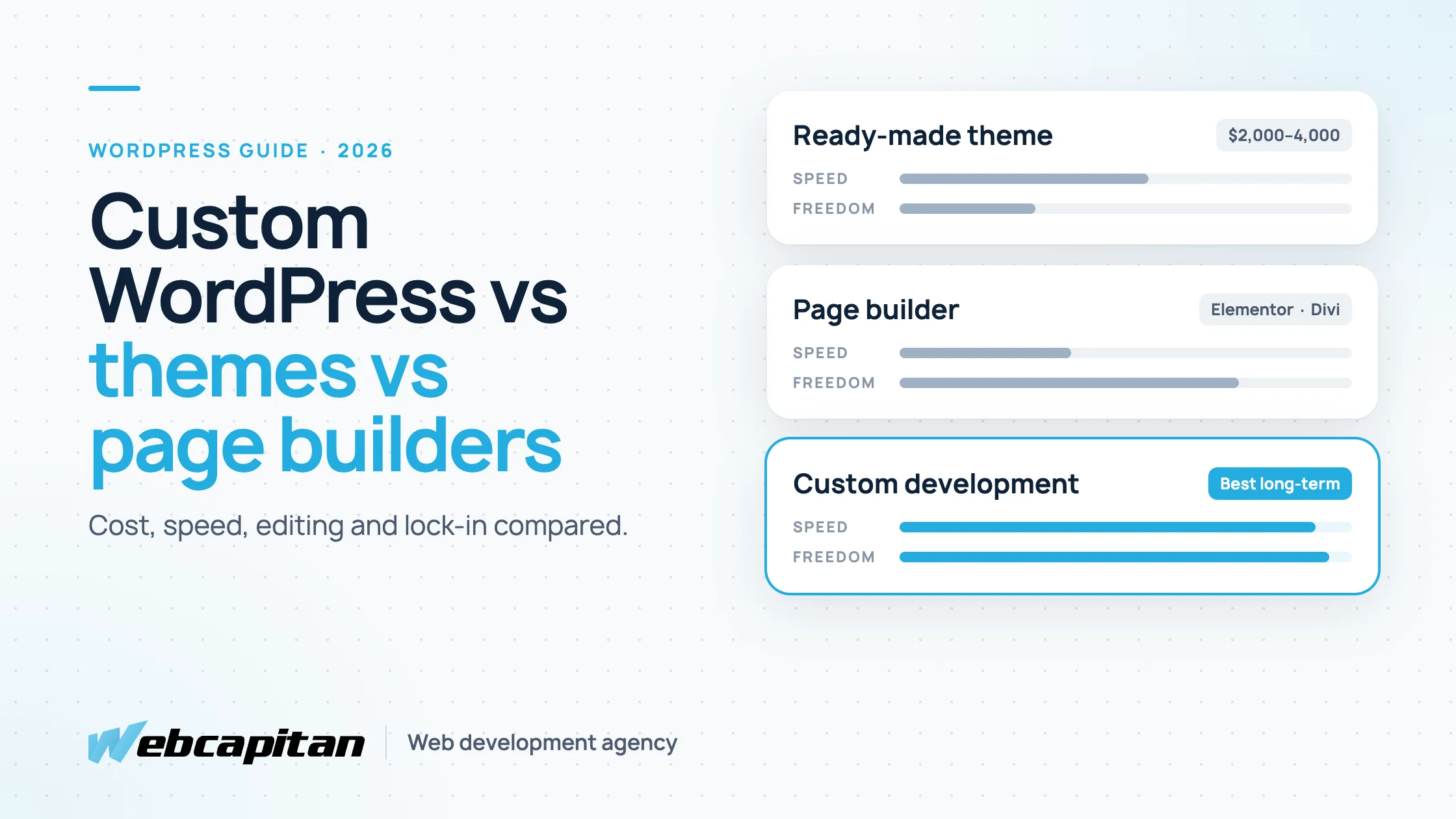
Theme-Based Website
A theme-based website uses an existing design system and adapts it to the company’s branding and content. This is often a practical option for startups, local businesses, and projects with limited budgets or tight deadlines.
Typical price: $2,000–$4,000.
Advantages include a lower initial cost, faster delivery, and access to prebuilt layouts. The disadvantages are design limitations, unnecessary theme features, possible performance issues, and a greater risk that the website will look similar to competitors.
Theme-based does not have to mean low quality. A good developer can select a reliable theme, remove unnecessary elements, optimize performance, and apply consistent branding. Problems usually appear when a cheap multipurpose theme is installed with dozens of plugins and little attention to speed or maintainability.
Custom WordPress Website
A custom website is designed around your brand, content, audience, and business goals. The development team creates reusable layouts and components instead of forcing the content into an existing theme.
Typical price: $6,000–$15,000.
Custom development provides greater control over appearance, user experience, performance, scalability, and content management. It is usually the better investment for established businesses, competitive industries, and companies that plan to use the website for several years.
You do not necessarily need every element built from zero. A sensible custom project can combine original design and clean development with dependable plugins for standard tasks such as forms, SEO, backups, or caching.
Plugins and Third-Party Integrations
Plugins can reduce development time, but they are not always free. Premium licenses commonly cost $50–$500 per year, while advanced booking, membership, multilingual, or e-commerce tools can cost more.
The key question is not how many plugins the website uses. It is whether those plugins are stable, secure, compatible, and genuinely necessary. Ten carefully selected plugins can be safer than three poorly maintained ones.
Integrations generally have a greater effect on the budget. Connecting WordPress to a CRM, payment gateway, ERP, email marketing platform, property database, shipping provider, or third-party API may cost from $200 to several thousand dollars per integration.
The estimate depends on the quality of the external API, authentication requirements, data structure, synchronization frequency, error handling, and whether information moves in one or both directions. An agency should review the API documentation before promising a fixed integration price.
Content, Copywriting, and SEO
Development is only part of the project. A technically excellent website will not generate results if its pages contain weak, unclear, or incomplete content.
If the client supplies final text and images in an organized format, the project costs less. If the agency must research the market, write copy, select images, edit content, and upload everything, the budget increases.
Typical content-related costs may include:
- Professional copywriting: $80–$300+ per page
- Blog articles: $80–$400+ per article
- Stock photography or illustration licenses: $50–$500+
- Custom photography, video, or 3D assets: quoted separately
- Content migration from an old website: $200–$2,100+
Basic technical SEO should be included in professional development. This normally covers clean URLs, heading structure, editable metadata, image alt fields, XML sitemap support, redirects, indexing settings, mobile responsiveness, and performance fundamentals.
However, technical setup is not a complete SEO campaign. Keyword research, content strategy, landing-page copywriting, ongoing articles, digital PR, and link building require a separate budget. Depending on scope and market competition, initial SEO work may cost $400–$2,100+, while ongoing SEO services are usually billed monthly.
Hosting, Domains, and Maintenance
The website budget should include ownership costs after launch.
A domain typically costs $10–$30 per year. Quality managed WordPress hosting may cost $15–$100 per month for a standard business website. High-traffic stores, membership platforms, and websites requiring advanced infrastructure may spend several hundred dollars per month.
Avoid selecting hosting only by its lowest advertised price. Slow or unreliable hosting can damage conversions, SEO, security, and the admin experience. Look at server location, backups, support, resource limits, staging environments, security features, and the real renewal price.
Ongoing maintenance commonly costs $40–$300+ per month, depending on the service level. A maintenance plan may include:
- WordPress core and plugin updates
- Security monitoring
- Automated backups
- Uptime checks
- Performance monitoring
- Fixing compatibility issues
- Small content or design changes
- Priority technical support
Maintenance is especially important for websites that process payments, collect customer data, or depend on third-party integrations.
Three Example WordPress Budgets
The following examples show what businesses can realistically expect at different investment levels.
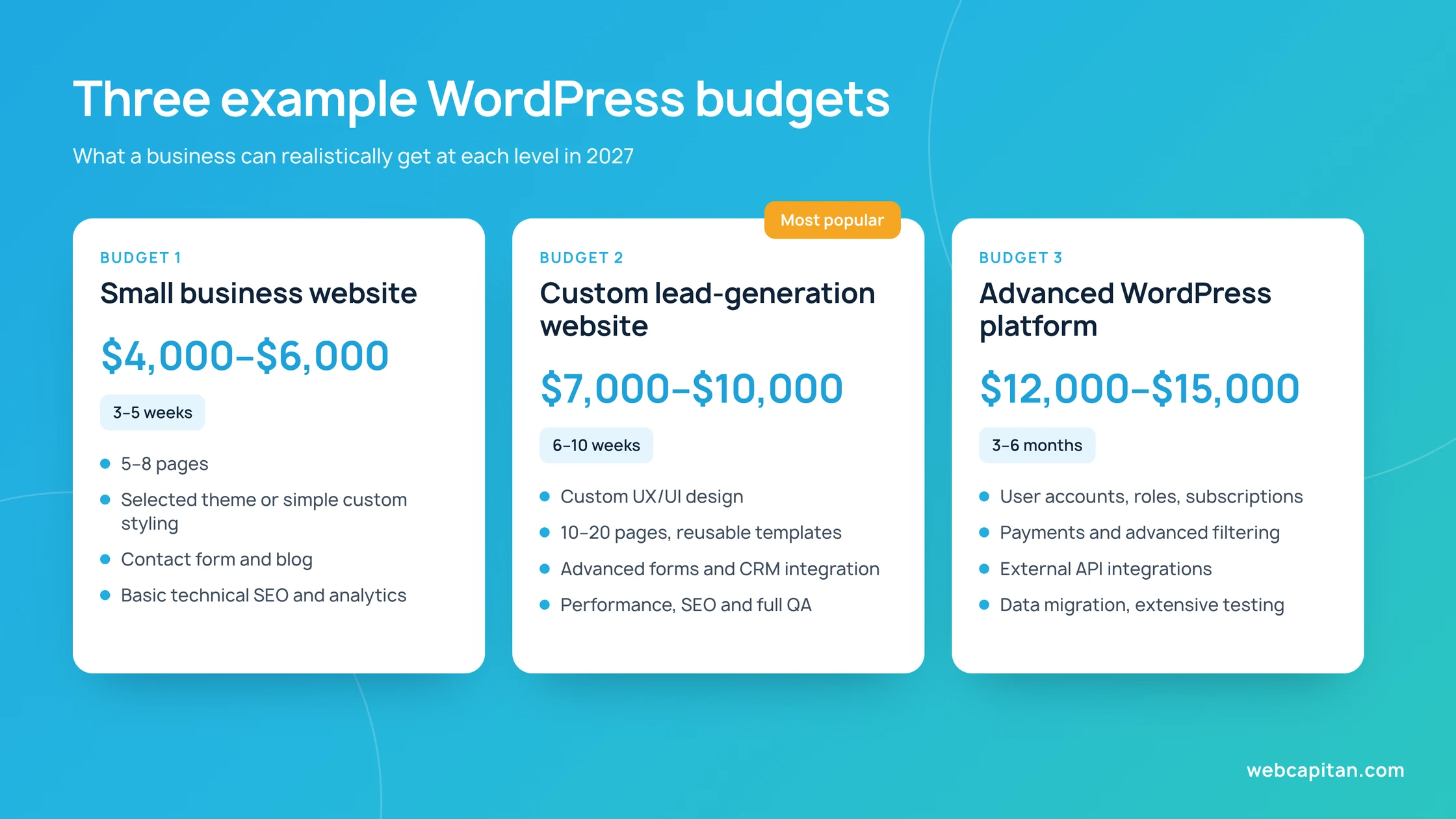
Budget 1: Small Business Website — $4,000–$6,000
This budget is suitable for a consultant, local service company, small studio, or early-stage business.
The project may include five to eight pages, a carefully selected theme or simple custom styling, mobile optimization, a contact form, blog setup, basic technical SEO, analytics installation, and launch support.
The client normally provides the logo, text, and images. There are no complex integrations or unusual user flows. Delivery may take approximately three to five weeks, depending on feedback and content readiness.
Budget 2: Custom Lead-Generation Website — $7,000–$10,000
This level is appropriate for an established company that needs a distinctive brand presentation and expects the website to generate qualified leads.
The scope may include discovery, sitemap and conversion planning, custom UX/UI design, ten to twenty pages, reusable service and case-study templates, advanced forms, CRM integration, animations, performance optimization, content assistance, technical SEO, and thorough quality assurance.
The website is designed to support marketing campaigns and future growth. A realistic timeline is six to ten weeks.
Budget 3: Advanced WordPress Platform — $12,000–$15,000
This budget covers projects such as complex WooCommerce stores, membership websites, directories, booking platforms, property portals, or multilingual corporate ecosystems.
The project may require user accounts, custom roles, subscriptions, advanced filtering, payment processing, external API integrations, automated emails, data migration, custom dashboards, and extensive testing.
The final price depends heavily on business logic. Discovery and technical specification are essential because seemingly small requirements can affect the database structure, admin experience, security, and integrations. Delivery may take three to six months or longer.
How to Cut Costs Without Cutting Quality
Reducing the budget does not have to mean accepting a slow, generic, or unreliable website. The best savings come from controlling scope and making decisions early.
Start With a Focused First Version
Launch the pages and features required to achieve the main business goal. Secondary tools, animations, and automation can be added after the website begins generating real user data. A focused first version is usually better than an oversized project that takes months to finish.
Prepare Content Before Development
Late content is one of the most common causes of delays and additional costs. Finalize the sitemap, page goals, text, images, contact details, and legal information as early as possible. If you need copywriting, include it in the project schedule from the beginning.
Reuse Components
A consistent component system reduces both design and development time. Instead of creating a unique layout for every page, reuse well-designed sections for services, testimonials, calls to action, team members, and frequently asked questions.
Use Proven Plugins for Standard Features
Custom code is valuable when the business needs custom behavior. It is unnecessary for common functions already handled well by reputable plugins. The right balance reduces cost without creating technical debt.
Ask for a Detailed Scope
A professional proposal should explain deliverables, assumptions, revision limits, responsibilities, timeline, payment stages, and post-launch support. An unusually low estimate may exclude design, content entry, mobile optimization, testing, SEO setup, premium licenses, or maintenance.
Compare proposals by scope and expected outcome, not only by the final number.
Is a Custom WordPress Website Worth the Cost?
For many businesses, yes. WordPress gives your team control over content, supports strong SEO foundations, and can grow from a simple marketing website into a more advanced digital platform.
The cheapest website is rarely the least expensive in the long term. Rebuilding poor work, fixing plugin conflicts, recovering from security problems, or losing leads through a slow user experience can cost far more than doing the project properly.
At the same time, not every company needs a $15,000 website. The right budget is the lowest investment that can reliably achieve your goals, support your marketing, and remain manageable as the business grows.
Get a Free WordPress Website Estimate
The most accurate way to determine your WordPress website cost is to define the scope and review it with an experienced development team.
Most business websites we build fall between $4,000 and $12,000. Online stores start at $6,000, membership and booking sites at $7,000, and custom platforms at $12,000, depending on their features and integrations.
At Webcapitan, we build WordPress websites for businesses with different goals and budgets—from focused company websites to custom platforms and e-commerce solutions. We can review your requirements, recommend the most efficient technical approach, and provide a transparent estimate with no hidden features or vague pricing.
Explore our WordPress development services and request a free estimate.
About the author

CEO & Founder, Webcapitan
Roman Yashchuk founded Webcapitan in 2014 and leads the team of 22 designers and developers in Vinnytsia and London. He works hands-on in UI/UX design, WordPress and PHP/Laravel development, and writes about choosing platforms, costs and keeping websites fast and secure.
All articles by Roman Yashchuk