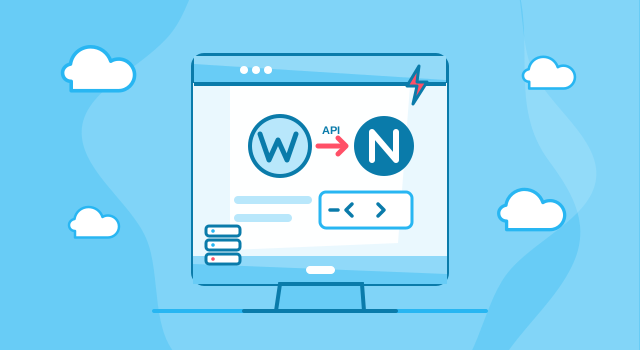
Headless WordPress Development with Next.js
Headless WordPress development keeps WordPress as the editing tool your team already knows and replaces the public website with a Next.js front end that reads content through the WordPress REST API or WPGraphQL. Visitors get static, fast pages with no plugins or logins on the public domain; editors keep wp-admin, the block editor, media library and roles. Webcapitan builds both halves: the WordPress content model and the Next.js site, plus the pipeline that rebuilds pages when someone clicks Publish.
It is the right setup for content-heavy sites that need speed, security and design freedom, and the wrong one for small sites where classic WordPress is cheaper and simpler. We say which one fits you before quoting.
Read the full overview
What our headless WordPress services include
- Architecture and content modelling. Custom post types, fields (ACF or native blocks), taxonomies and menus designed so the API delivers exactly what the front end needs.
- Next.js front end. Static or server-rendered pages, image and font optimisation, metadata, structured data, sitemaps and redirects, built from your Figma design.
- Publishing pipeline. Incremental revalidation or webhooks so a published change appears on the site within seconds, plus previews of drafts for editors.
- Yoast and SEO parity. Titles, descriptions, canonicals, Open Graph and schema carried from WordPress into the front end.
- Forms, search and integrations. Contact and lead forms, site search, CRM, analytics and marketing tools connected on the front end or through the API.
- Migration from classic WordPress. Same URLs, same content, redirects only where needed, and every old address checked before launch.
- Hardening the WordPress back end. Hidden from the public domain, limited access, updates and backups handled under a maintenance plan.
How headless WordPress works
| Part | Classic WordPress | Headless WordPress with Next.js |
|---|---|---|
| Editing | wp-admin | wp-admin (unchanged) |
| Public pages | PHP theme renders on every request | Next.js builds pages once and refreshes them on publish |
| Speed | Depends on theme, plugins and cache | Static HTML, optimised images; fast by default |
| Security | Login, plugins and PHP exposed on the public domain | Public site has no login or plugins; WordPress sits behind a firewall |
| Design freedom | Limited by the theme and page builder | Any design; React components |
| Plugins that change the front end | Work out of the box | Need front-end equivalents (forms, search, sliders) |
| Cost | Lower to build | Higher to build, lower to keep fast and secure |
When headless WordPress is worth it
- Your marketing team writes and publishes in WordPress every week and does not want to learn a new CMS.
- The site has hundreds or thousands of pages and speed, Core Web Vitals or security have become a problem.
- The same content must feed a website, an app or several sites.
- You want a custom design that a theme or page builder cannot deliver cleanly.
When the site is small, the team rearranges layouts with a page builder, or the budget is tight, custom classic WordPress is the better deal. We build both.
How a headless project runs
- Discovery. Content audit, page templates, integrations and hosting; a fixed estimate by template and feature.
- Content model. Post types, fields and taxonomies in WordPress, exposed through REST or WPGraphQL; editors can start migrating content early.
- Next.js build. Templates and components from the design, connected to the API, with previews and revalidation on publish.
- SEO and performance pass. URL parity, redirects, metadata, structured data, Core Web Vitals on mobile.
- Launch and support. Hosting for both halves, monitoring, editor training and a maintenance plan.
What it costs
A headless WordPress website with Next.js typically costs from $6,000 and takes six to ten weeks, depending on the number of templates, integrations and content to migrate. Ongoing hosting is two services instead of one (WordPress plus the Next.js front end), usually from $30 a month in total. We provide a fixed estimate after discovery; see also how much a WordPress website costs.
Why Webcapitan
- WordPress since 2014 and Next.js in production on our own domain: we know both halves and the seams between them.
- Migration without ranking loss: URL parity, redirects and structured data are part of every launch checklist.
- Editors keep what they know; visitors get a site that loads in under two seconds on mobile.
- One team for design, WordPress and front end, with a warranty period and maintenance plans.
Related: WordPress API integration, Node.js and Next.js development, WordPress migration. Tell us about your site to find out whether headless is the right move.

 United Kingdom
 United States