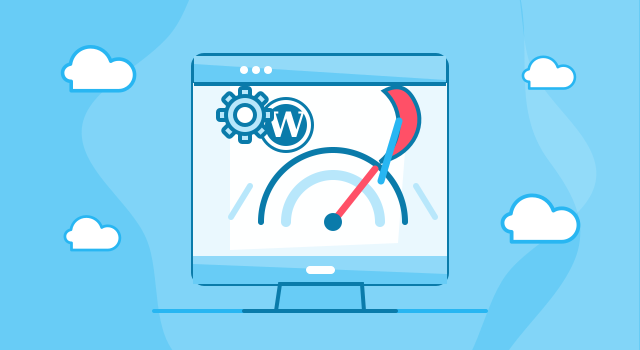
WordPress optimization services are essential for every business website that needs to load faster, perform better, support SEO efforts and provide users with a smooth browsing experience. A slow WordPress website can negatively affect conversions, search visibility, user trust and the overall effectiveness of your online presence.
At Webcapitan, we provide professional WordPress optimization services for business websites, WooCommerce stores, corporate platforms, landing pages and custom WordPress projects. Our team analyzes the technical condition of your website, identifies performance issues and applies practical improvements to make your WordPress website faster, cleaner and more efficient.
What is WordPress Optimization?
WordPress optimization is the process of improving the technical performance, loading speed, stability and usability of a WordPress website. It includes a combination of frontend optimization, backend cleanup, hosting-related improvements, image optimization, caching setup, database optimization and technical SEO improvements.
A WordPress website can become slow for many reasons. Heavy themes, too many plugins, unoptimized images, unnecessary scripts, poor hosting, database overload, render-blocking resources and incorrect cache configuration can all affect performance. Professional WordPress optimization helps find these problems and fix them properly.
Webcapitan WordPress optimization services may include:
- website speed optimization: improving loading time and reducing unnecessary delays;
- Core Web Vitals optimization: improving important performance metrics that affect user experience and SEO;
- image optimization: compressing, resizing and preparing images for faster loading;
- caching setup: configuring caching solutions to reduce server load and improve page speed;
- CSS and JavaScript optimization: reducing render-blocking files and unnecessary scripts where possible;
- database cleanup: removing unnecessary data, revisions, transients and technical clutter;
- plugin review: identifying heavy, outdated or unnecessary plugins that affect performance;
- hosting recommendations: checking whether the hosting environment supports stable and fast website performance.
Read the full overview
Why Do You Need WordPress Optimization?
Website speed is not only a technical detail. It directly affects how users interact with your website. If a website loads slowly, visitors may leave before reading your content, submitting a form or completing a purchase. For WooCommerce stores, slow loading speed can also affect checkout completion and sales.
WordPress optimization helps improve the user experience and supports better digital performance. A faster website can help users browse more pages, interact with your content more easily and trust your business more quickly.
With Webcapitan WordPress optimization services, you can get the following benefits:
- faster website loading speed;
- better user experience on desktop and mobile devices;
- improved Core Web Vitals;
- reduced bounce rate;
- better readiness for SEO campaigns;
- cleaner website structure;
- reduced server load;
- better WooCommerce performance;
- more stable website functionality;
- improved conversion potential.
WordPress Optimization Prices
The price of WordPress optimization depends on the current website condition, the number of performance issues, the size of the website, the theme structure, plugin setup, hosting environment and the level of optimization required. A small website with basic performance issues usually needs less work than a large WooCommerce store or custom WordPress platform with many plugins and scripts.
At Webcapitan, WordPress optimization prices depend on the following:
- the current website loading speed;
- the size of the website;
- the number of pages and templates;
- the number of active plugins;
- the complexity of the WordPress theme;
- the amount of custom code;
- the size and quality of images;
- WooCommerce functionality;
- hosting and server configuration;
- database condition;
- Core Web Vitals requirements.
Before calculating the cost of WordPress optimization, our team reviews your website performance, technical structure, plugin usage, hosting environment and loading behavior. This allows us to identify what should be optimized and what improvements can bring the best practical result.
How Long Does WordPress Optimization Take?
The time required for WordPress optimization depends on the website complexity and the number of issues that need to be solved. Some websites need basic speed improvements, while others require deeper work with theme files, scripts, database, media files, plugin conflicts and hosting setup.
The duration of WordPress optimization depends on:
- the current performance score;
- the number of technical issues;
- the size of the website;
- the number of plugins and scripts;
- image optimization requirements;
- database cleanup needs;
- WooCommerce or custom functionality;
- hosting-related limitations;
- testing requirements after optimization.
At Webcapitan, we focus on practical optimization rather than artificial performance scores only. Our goal is to improve real website speed, user experience and technical stability while keeping important website functionality working properly.
What is Included in Webcapitan WordPress Optimization?
Webcapitan WordPress optimization services are focused on improving the visible and technical performance of your website. We review how the website loads, what slows it down and which improvements can make it more efficient.
Our WordPress optimization service may include:
- performance audit: checking website speed, loading behavior, Core Web Vitals and technical bottlenecks;
- image optimization: compressing images, improving formats and reducing unnecessary file size;
- cache configuration: setting up page caching, browser caching and other caching solutions when needed;
- CSS optimization: reducing unnecessary CSS and improving file loading where possible;
- JavaScript optimization: reviewing scripts that block rendering or slow down interaction;
- database optimization: cleaning unnecessary data and improving database efficiency;
- plugin optimization: reviewing plugins that may slow down the website or duplicate functionality;
- mobile performance improvements: improving website loading and usability on mobile devices.
Core Web Vitals Optimization
Core Web Vitals are important performance indicators that help measure how users experience a website. They include loading performance, visual stability and responsiveness. These metrics are important because users expect websites to load quickly and work smoothly on all devices.
Webcapitan can help improve Core Web Vitals by focusing on:
- Largest Contentful Paint optimization;
- Cumulative Layout Shift reduction;
- Interaction to Next Paint improvements;
- image and media optimization;
- font loading improvements;
- render-blocking resource reduction;
- mobile performance optimization;
- theme and plugin performance review.
Improving Core Web Vitals can help your website provide a better experience for users and become more technically prepared for SEO and marketing campaigns.
WordPress Optimization for WooCommerce Stores
WooCommerce websites often require special optimization because online stores usually have more scripts, product images, dynamic pages, checkout functionality, filters, carts, user accounts and payment-related processes. If a WooCommerce store is slow, it can affect sales and customer trust.
Webcapitan can optimize WooCommerce websites by reviewing:
- product page loading speed;
- shop and category page performance;
- cart and checkout speed;
- product image optimization;
- plugin and extension performance;
- database load;
- dynamic cart fragments where applicable;
- hosting and caching compatibility with WooCommerce.
A properly optimized WooCommerce website can provide a better shopping experience and help customers complete purchases with fewer delays.
Why Choose Webcapitan for WordPress Optimization?
At Webcapitan, we understand that WordPress optimization requires technical experience and careful testing. Not every optimization method is suitable for every website. Some changes can improve speed but break design, forms, checkout processes or interactive elements if they are applied without proper control.
Our WordPress team works carefully with performance improvements to keep the website fast, functional and stable. We consider the website structure, theme, plugins, hosting environment and business-critical features before applying optimization settings.
You should choose Webcapitan for WordPress optimization because:
- we understand WordPress performance issues from a practical development perspective;
- we optimize websites without ignoring design and functionality;
- we work with Core Web Vitals, speed, caching, images and scripts;
- we can optimize WooCommerce and custom WordPress websites;
- we review plugins and technical structure carefully;
- we focus on real user experience, not only performance scores;
- we test important website functionality after optimization;
- we provide clear recommendations for long-term website performance.
WordPress Optimization for Better Business Results
A faster WordPress website can support better business results. It helps users stay longer, browse more pages, interact with your content, complete forms, purchase products and trust your brand. It also creates a stronger technical foundation for SEO, paid advertising and conversion optimization.
If your WordPress website is slow, overloaded with plugins, affected by poor performance scores or not ready for marketing campaigns, Webcapitan can help optimize it and improve its technical condition.
Start Your WordPress Optimization Project
If you need professional WordPress optimization services, Webcapitan is ready to help. We can review your website, identify speed and performance issues, optimize images, configure caching, clean the database, improve Core Web Vitals and make your WordPress website faster and more stable.
If you have any questions about Webcapitan WordPress optimization services or would like us to calculate your project, please feel free to start a project or contact us.

 United Kingdom
 United States