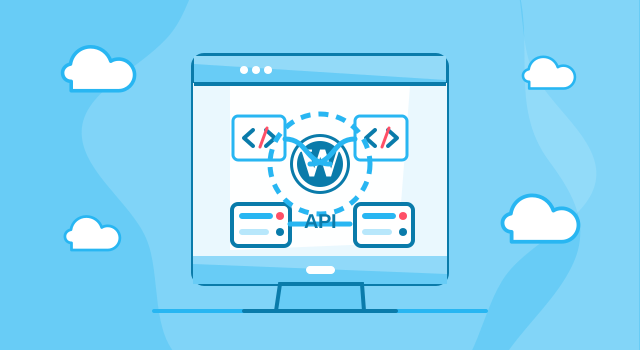
WordPress API Integration Services
WordPress API integration services are essential when your website needs to connect with external platforms, business tools, databases, payment systems, CRM software, booking platforms, marketing tools or custom applications. API integration helps your WordPress website exchange data automatically, reduce manual work and become a more powerful part of your digital business system.
At Webcapitan, we provide professional WordPress API integration services for businesses that want to automate workflows, improve data accuracy and connect WordPress with the tools they already use. Whether you need a simple form-to-CRM connection, WooCommerce integration, payment gateway setup, booking synchronization or a complex custom API solution, our team can help you build a reliable and scalable integration.
Read the full overview
What is WordPress API Integration?
WordPress API integration is the process of connecting a WordPress website with another system through an application programming interface. In simple words, API integration allows WordPress and external tools to communicate with each other and exchange information automatically.
For example, your WordPress website can send leads to a CRM, receive product data from an external system, synchronize orders with accounting software, connect with a booking platform, process payments, update user profiles, display live data or send information to marketing automation tools.
Without API integration, many of these tasks must be completed manually. This takes time, creates unnecessary workload and increases the risk of mistakes. With a properly developed WordPress API integration, your website can become a smarter and more efficient business tool.
Webcapitan WordPress API integration services may include:
- CRM API integration: sending leads, contacts, form submissions and customer data directly to your CRM;
- payment API integration: connecting WordPress with payment gateways, subscription platforms and invoicing tools;
- booking API integration: synchronizing appointments, availability, schedules and customer booking details;
- WooCommerce API integration: exchanging product, order, customer, inventory and payment data with external systems;
- marketing API integration: connecting WordPress with email marketing, analytics and automation platforms;
- external database integration: displaying or managing data from third-party databases inside WordPress;
- custom API integration: building a unique connection with internal software or a specific third-party platform;
- API troubleshooting: fixing broken, unstable or outdated WordPress API integrations.
Why Do You Need WordPress API Integration?
A modern business website should not work separately from the rest of your digital tools. If your team uses CRM software, marketing automation, payment platforms, booking systems, accounting tools or custom internal systems, your WordPress website can be connected with them to improve efficiency and reduce repetitive manual work.
Professional WordPress API integration helps your website send, receive and update data accurately. It can simplify daily operations, improve customer management, speed up communication, support better reporting and create a smoother user experience.
With Webcapitan WordPress API integration services, you can get the following benefits:
- automated data exchange between WordPress and external systems;
- less manual work for your team;
- faster lead processing and customer management;
- better accuracy of business data;
- improved WooCommerce and order workflows;
- secure payment and booking integrations;
- better synchronization between website and business tools;
- custom functionality based on your business process;
- scalable technical foundation for future growth.
WordPress API Integration Prices
The price of WordPress API integration depends on the complexity of the external system, the quality of API documentation, the amount of data, the number of endpoints, authentication requirements, custom business logic and testing needs. A simple one-way integration usually requires less time than a complex two-way synchronization between several systems.
At Webcapitan, WordPress API integration prices depend on the following:
- the type of external platform or API;
- the quality and availability of API documentation;
- the number of systems that need to be connected;
- one-way or two-way data synchronization;
- the number of data fields and API endpoints;
- authentication and security requirements;
- WooCommerce or payment-related functionality;
- custom business logic;
- error handling and logging requirements;
- testing and post-launch support.
Before calculating the cost of WordPress API integration, our team reviews your website, the external platform, the available API documentation and the expected workflow. This helps us understand the technical scope and recommend the most efficient development approach.
How Long Does WordPress API Integration Take?
The time required for WordPress API integration depends on the complexity of the API and the number of systems involved. Some integrations can be completed quickly if the API is well-documented and the workflow is simple. More complex integrations require detailed planning, custom development, testing and debugging.
The duration of WordPress API integration depends on:
- the number of API connections;
- the complexity of the data flow;
- the quality of API documentation;
- authentication and permission requirements;
- the number of data fields to synchronize;
- the need for custom plugin development;
- WooCommerce, CRM, payment or booking functionality;
- testing requirements before launch;
- post-launch monitoring and adjustments.
At Webcapitan, we focus on building API integrations carefully because even a small error in data transfer can affect business operations. We test the integration to make sure information is sent, received and processed correctly.
Types of WordPress API Integrations We Offer
Every API integration project is different. Some businesses need a simple connection between a contact form and CRM software. Others need a complex system where WordPress, WooCommerce, accounting tools, payment platforms and marketing software exchange data automatically.
CRM API Integration
CRM API integration allows your WordPress website to send leads, contact forms, user registrations, customer requests and other important information directly to your CRM. This helps your sales team respond faster and manage prospects more effectively.
Payment API Integration
Payment API integration connects WordPress with payment gateways, invoicing systems, subscription tools or custom payment platforms. This is useful for service businesses, membership websites, online stores and platforms that require secure online payments.
Booking and Scheduling API Integration
If your business uses external booking software, Webcapitan can connect it with your WordPress website to synchronize appointments, availability, booking confirmations and user details. This helps reduce double entry and improves customer experience.
WooCommerce API Integration
WooCommerce API integration can help synchronize products, inventory, orders, customers, shipping data, payment information and accounting details with external systems. This is especially important for online stores that depend on accurate and up-to-date business data.
Marketing and Email API Integration
Marketing API integration connects WordPress with email marketing tools, automation platforms, analytics systems and advertising tools. This helps you manage subscribers, track conversions, automate campaigns and improve marketing workflows.
Custom API Integration
If your business uses custom software, internal tools or a specific third-party platform, Webcapitan can review the API documentation and build a custom WordPress integration that supports your exact workflow.
What is Included in Webcapitan WordPress API Integration?
Webcapitan WordPress API integration services are focused on creating reliable, practical and business-oriented connections between your website and external systems. We do not only connect tools technically. We also make sure the integration supports your real workflow.
Our WordPress API integration service may include:
- requirements analysis: understanding your business process, website structure and integration goals;
- API documentation review: checking endpoints, authentication, data structure and technical limitations;
- integration planning: defining how data should be sent, received, stored or displayed;
- custom development: building the integration through custom code or a custom WordPress plugin;
- data mapping: matching fields between WordPress and the external system;
- security setup: applying safe authentication, validation and permission logic;
- error handling: adding checks, logs or fallback behavior where needed;
- testing and debugging: checking whether the integration works correctly before launch.
Our WordPress API Integration Process
At Webcapitan, we follow a structured process to make sure your API integration is stable, secure and aligned with your business requirements.
1. Discovery and Requirements Analysis
We start by learning about your website, business process, external platform and integration goals. At this stage, we define what data should be sent, received, updated or displayed.
2. API Documentation Review
Our development team reviews API documentation, authentication methods, endpoints, limits, data formats and technical requirements. This helps us understand how WordPress and the external platform should communicate.
3. Integration Planning
We create a technical plan for the integration, including data flow, user actions, admin controls, error handling and testing scenarios. This helps avoid confusion during development.
4. Development and Configuration
Our developers build the WordPress API integration using custom code, plugin-based logic or a custom WordPress plugin depending on the project requirements. We focus on clean structure, security and maintainability.
5. Testing and Debugging
We test the integration carefully to make sure data is transferred correctly, errors are handled properly and the website continues to work as expected. Testing is especially important for payment, CRM, booking and WooCommerce integrations.
6. Launch and Support
After approval, we launch the integration and provide support if additional adjustments, monitoring or improvements are needed. Our goal is to make sure the integration works smoothly in real business conditions.
Why Choose Webcapitan for WordPress API Integration?
At Webcapitan, we understand that API integration is not only about connecting two systems technically. It is about making sure your website, business tools and internal workflows work together in a way that saves time, improves accuracy and supports business growth.
Our team has practical experience with WordPress, WooCommerce, custom plugin development, CRM systems, payment gateways, marketing tools, booking platforms and third-party APIs. This allows us to build API integrations that are useful, stable and prepared for future improvements.
You should choose Webcapitan for WordPress API integration because:
- we understand WordPress and custom plugin development;
- we can work with REST APIs, third-party platforms and custom business systems;
- we create integrations based on real business workflows;
- we focus on secure data transfer and stable functionality;
- we can connect WordPress with CRM, payment, booking, marketing and accounting tools;
- we test API integrations carefully before launch;
- we provide clear communication without unnecessary technical jargon;
- we can support and improve the integration after launch.
WordPress API Integration for Business Growth
A properly developed WordPress API integration can improve the way your business operates online. It can help your team save time, reduce mistakes, respond to customers faster, manage data more effectively and connect different parts of your digital ecosystem.
If your current WordPress website is limited by manual work, disconnected tools or missing automation, Webcapitan can help create an API integration that supports your business needs and future growth.
FAQs — WordPress API Integration Services
We understand that WordPress API integration can raise technical and business questions. Here are some common questions to help you better understand the process.
Can WordPress connect with any external system?
In most cases, yes, if the external system provides an API or another supported method for data exchange. During the discovery stage, Webcapitan reviews the available documentation and technical options.
Do I need a custom plugin for WordPress API integration?
Not always. Some integrations can be done with existing tools or plugin settings. However, if the integration requires custom logic, special data flow or advanced control, a custom plugin is often the best solution.
Can you integrate WordPress with a CRM system?
Yes. We can connect WordPress forms, user registrations, WooCommerce orders or custom data with CRM systems to improve lead management and customer tracking.
Can you integrate WooCommerce with third-party systems?
Yes. Webcapitan can integrate WooCommerce with external inventory systems, payment gateways, shipping providers, accounting software, CRM tools and custom business platforms.
Is WordPress API integration secure?
Security depends on proper implementation. We pay attention to authentication, validation, permissions, error handling and safe data transfer to reduce risks and protect sensitive information.
How long does WordPress API integration take?
The timeline depends on the complexity of the API, number of systems, data flow and testing requirements. After reviewing the documentation and your requirements, we can provide a more accurate estimate.
Can you fix an existing broken API integration?
Yes. If your current WordPress API integration does not work correctly, we can review the code, logs, API responses and website setup to identify and fix the issue.
Do you provide support after the integration is launched?
Yes. Webcapitan can provide post-launch support, monitoring, bug fixing and future improvements if your integration needs adjustments over time.
Start Your WordPress API Integration Project
If your WordPress website needs to work smarter with external systems, Webcapitan is ready to help. We can connect your website with CRM systems, payment platforms, booking tools, WooCommerce solutions, marketing software and custom business applications.
If you have any questions about Webcapitan WordPress API integration services or would like us to calculate your project, please feel free to start a project or contact us.

 United Kingdom
 United States