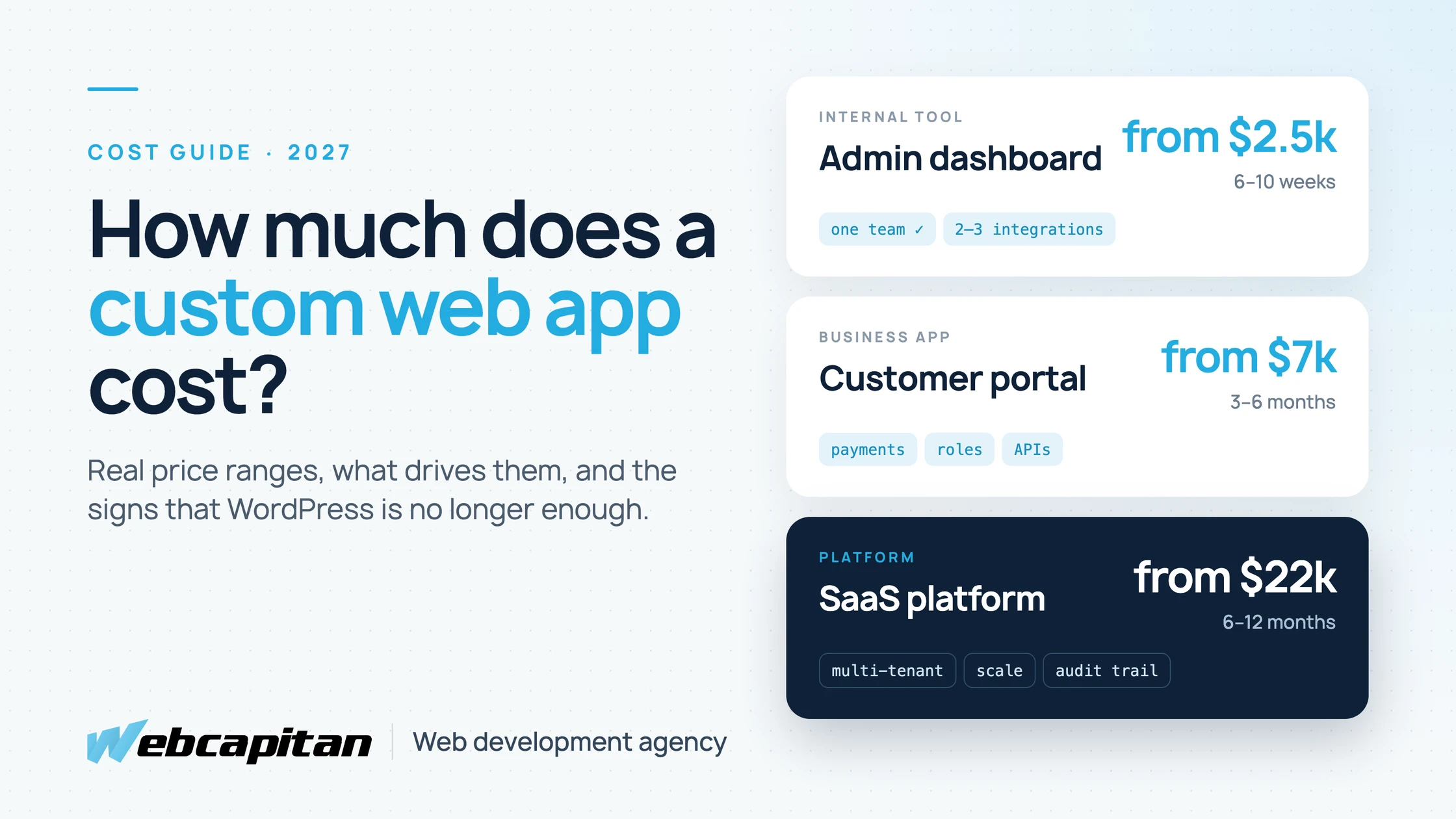
A custom web application for a small or mid-sized business typically costs from $2,500 for a focused internal tool, from $7,000 for a customer-facing business app, and from $22,000 for a SaaS product or marketplace. Hosting and maintenance add roughly $50 to $250 per month plus 15–20% of the build cost per year for updates and small features.
Those ranges are wide because "web app" covers everything from a booking dashboard for five staff to a platform with thousands of paying users. This guide explains what sits inside each price band, which decisions move the number the most, how the budget splits between phases, and how to tell whether you need a custom app at all or whether WordPress, a SaaS tool or a few integrations would do the job for a fraction of the cost. It is written for business owners and operations leads in the US and UK who are planning a project, not for developers.
Custom Web App Cost in 2027: The Short Answer
Most custom web applications fall into one of three bands, and the band is set by who uses the app and what it has to connect to, not by the number of screens.
| Type | Typical examples | Typical cost | Timeline |
|---|---|---|---|
| Internal tool | Staff dashboard, booking or job tracker, simple CRM, reporting panel | from $2,500 | 6–10 weeks |
| Business app | Customer portal, client onboarding, quoting and ordering, an MVP for a new product | from $7,000 | 3–6 months |
| Platform | Multi-tenant SaaS, marketplace, B2B platform with complex permissions | from $22,000 | 6–12 months |
These figures assume a professional team: discovery, design, development, testing and launch, with code you own at the end. They reflect an experienced Eastern European team working directly with you; a large US or UK agency can easily charge two to three times more for the same scope.
What Is a Custom Web Application?
A custom web application is software built for your business that runs in the browser, where people log in and get work done rather than just read pages.
The difference from a website is the job it does. A website presents your company and collects enquiries. A web app holds data and logic: customer accounts, orders, schedules, quotes, approvals, invoices, reports. It usually has user roles (staff, clients, admins), connects to other systems such as a CRM, accounting software or a payment provider, and keeps a history of who changed what. Many businesses run both: a marketing site on WordPress or Next.js, and a custom app behind a login.
Signs WordPress Is No Longer Enough
WordPress stops being the right tool when your site starts behaving like software: logged-in users, complex data, business rules and integrations that plugins can only approximate.
We build WordPress sites every month and still recommend them for most marketing websites. The signals that a custom app will be cheaper in the long run are fairly consistent:
- You are stacking plugins to fake an application. A membership plugin, a forms plugin, a booking plugin and custom code to glue them together, with every update a risk.
- Logged-in users are the main audience. Clients check orders, upload documents or manage subscriptions. WordPress can do it, but performance, security and the user experience get harder with every feature.
- Your process does not fit a template. Pricing rules, approval chains or scheduling logic that no plugin covers without workarounds.
- Data lives in three places. Staff copy information between the website, a spreadsheet and the CRM by hand.
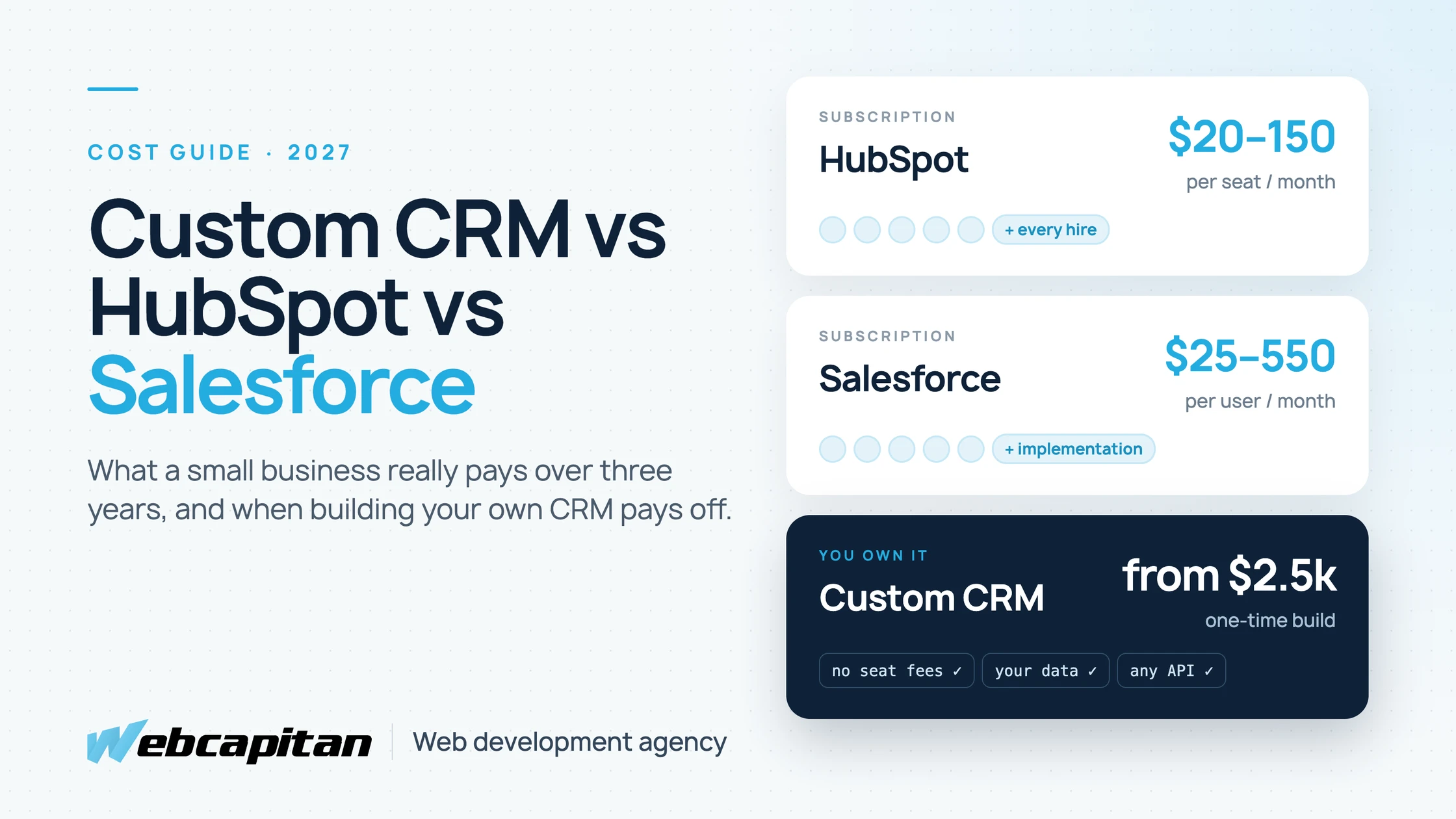
- You are paying per-seat for a SaaS that only half fits. When a team of 15 or more pays monthly for features it does not use, owning the tool can pay back within two to three years. Our custom CRM vs HubSpot vs Salesforce comparison shows the maths for a CRM.
If none of these apply, you probably do not need a custom app yet. A well-built WordPress site, covered in our WordPress website cost guide, or a SaaS tool plus a couple of integrations will serve you better. We compare the two paths in more detail in WordPress vs a custom CMS.
What Affects the Cost of a Custom Web App?
Five factors account for most of the price difference between two apps that look similar on paper: user roles, integrations, data complexity, design depth and compliance.
- User roles and permissions. One type of user is simple. Staff, clients, managers and admins who each see different data multiply the screens, rules and tests.
- Integrations. Every external system (Stripe, QuickBooks or Xero, HubSpot, Google Workspace, a shipping or ERP API) adds roughly from $450, depending on how good its API is and whether data has to sync both ways. Our API development and integration team spends most of its time here.
- Data and business logic. A list of bookings is cheap. Pricing rules, availability calculations, recurring billing or multi-step approvals are where the back-end budget goes.
- Design depth. A clean admin interface built on a component library costs far less than a fully branded, customer-facing product with custom illustrations and motion.
- Security and compliance. Audit logs, two-factor authentication, data retention rules, GDPR tooling or HIPAA-style requirements add both development and testing time.
Things that matter less than people expect: the number of pages (a list screen and a detail screen are often reused across features), and the programming language. A modern stack such as Node.js and Next.js keeps cost reasonable because the same team can work across the front end and the back end.
How the Budget Splits Between Phases
In a typical project, development takes a little over half of the budget, design and discovery about a fifth, and testing, launch and project management the rest.
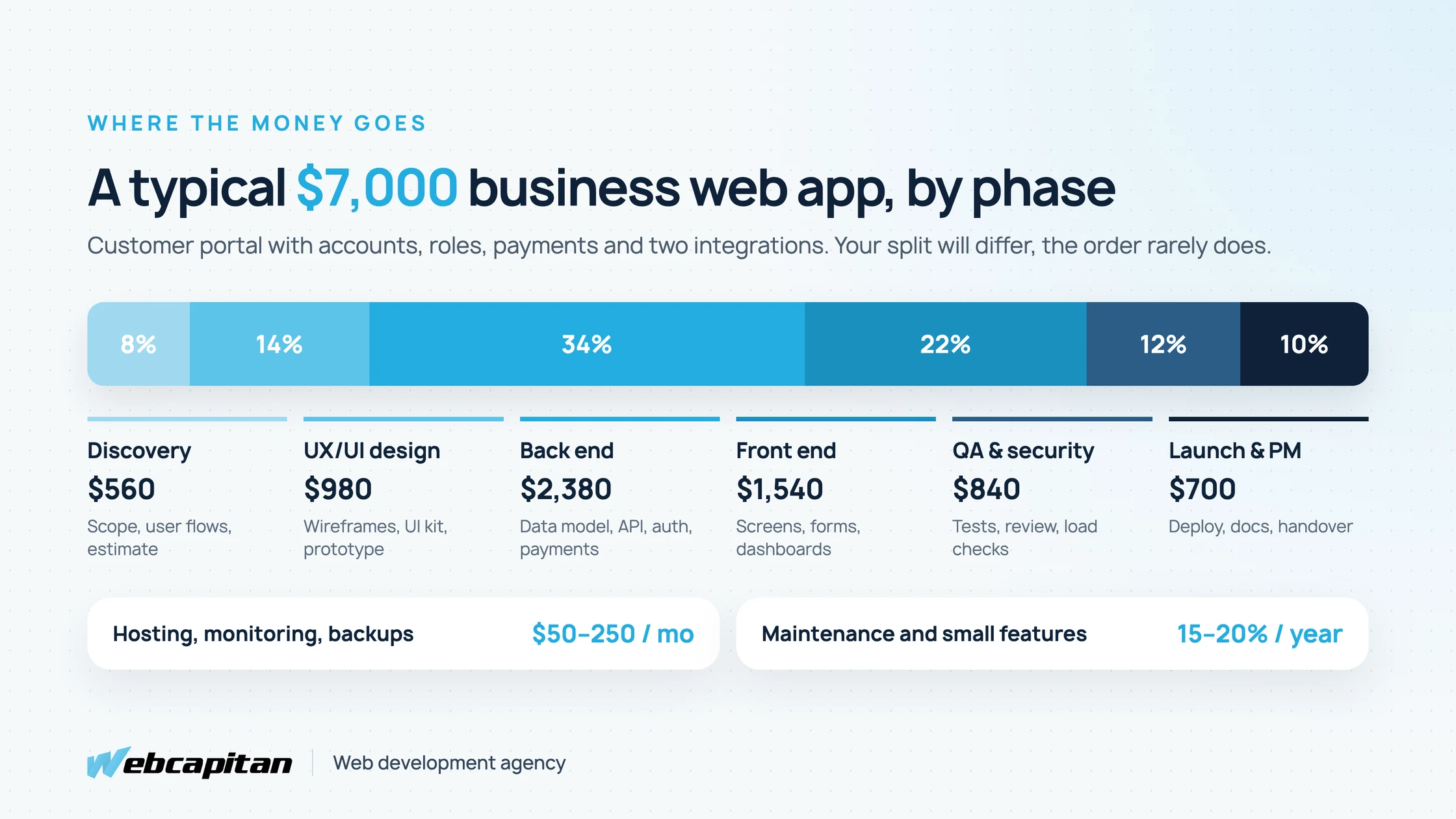
Budget split for a typical $7,000 customer portal with accounts, roles, payments and two integrations.
- Discovery (5–10%). Workshops, user flows, a written scope and a fixed or capped estimate. The cheapest place to remove features you do not need.
- UX/UI design (10–15%). Wireframes, a UI kit and a clickable prototype that real users can try before anything is built.
- Back end (30–35%). Data model, API, authentication, payments, background jobs and integrations.
- Front end (20–25%). The screens people use: forms, tables, dashboards, notifications.
- QA and security (10–15%). Automated tests, manual testing on real devices, a security review and load checks.
- Launch and project management (around 10%). Deployment, monitoring, documentation and handover.
If a quote shows development at 90% and almost nothing for discovery and testing, the cost has not disappeared. It will come back later as rework.
Ongoing Costs After Launch
Plan for $50 to $250 per month for hosting, monitoring and backups, plus about 15–20% of the original build cost per year for maintenance and small improvements.
- Hosting and infrastructure: a small app runs comfortably on a $20–$60 per month cloud setup; add managed databases, file storage, email delivery and error monitoring and most business apps land between $50 and $250.
- Maintenance: security updates, dependency upgrades, browser changes and bug fixes. Skipping it is how a $7,000 app turns into a rewrite after four years.
- New features: once people use the app, they ask for more. Budget a monthly allowance or plan quarterly releases.
- Third-party fees: payment processing, SMS, maps or AI APIs are billed by usage and belong in the business case from the start.
Custom App vs SaaS vs No-Code: A Three-Year View
Over three years, a SaaS tool is usually cheapest for small teams with a standard process, and a custom app becomes cheaper once seat fees, workarounds and integrations add up.
| Option | Upfront | Ongoing | Best when |
|---|---|---|---|
| SaaS subscription | Low (setup, onboarding) | $20–$150 per user per month, rising with the team | Your process is standard and the team is small |
| No-code (Bubble, Airtable, Glide) | $1,000–$6,000 | Platform plan plus usage limits | Validating an idea quickly, internal use, low traffic |
| Custom web app | from $2,500 | Hosting plus 15–20% per year | The process is your advantage, many users, deep integrations, or you need to own the data and code |
No-code is a reasonable first step. The risk is lock-in: when you outgrow the platform, the app usually has to be rebuilt from scratch, because there is nothing to migrate except the data.
How to Reduce the Cost Without Cutting Quality
The most reliable way to lower the cost is to launch a smaller first version and let real usage decide what comes next.
- Write down the one job the app must do on day one. Everything else goes on a "later" list.
- Use proven building blocks for authentication, payments, email and admin screens instead of building them from scratch.
- Buy where it is not your advantage. Keep accounting in Xero or QuickBooks and invoicing in Stripe; integrate rather than rebuild.
- Design with a component library for internal screens and save custom design for what customers see.
- Agree on a fixed scope per phase. Fixed-price phases with a clear definition of done protect both sides better than an open-ended hourly budget.
How to Read a Web App Quote
A good quote lists features, phases, assumptions and what is excluded, so you can compare offers on scope rather than on the bottom line alone.
Before you sign, check that the quote answers these questions: Who owns the code and the hosting accounts? Is testing included and how? What happens after launch, and what does support cost? Which integrations are included, and who pays for third-party licences? How are changes to the scope priced? A lower price with vague answers is usually the more expensive option by the end of the project.
Typical hourly rates in 2027 range from about $25–$50 for experienced Eastern European teams to $100–$200 for US and UK agencies. The rate matters less than the estimate behind it: an experienced team at a higher rate that has built similar apps often finishes in fewer hours.
Frequently Asked Questions
How long does it take to build a custom web app?
An internal tool takes 6–10 weeks, a business app 3–6 months, and a platform 6–12 months, including discovery, design and testing.
Can I start with an MVP and grow it later?
Yes, and it is usually the right approach. A well-structured MVP is built on the same foundation as the full product, so later features extend it instead of replacing it.
Is a custom web app cheaper than WordPress?
No, not upfront. A WordPress website starts at around $1,300. A custom app only becomes cheaper when you would otherwise pay for many plugins, workarounds, manual data entry or per-seat SaaS fees.
Who owns the code?
With us, you do: the repository, the hosting accounts and the data are in your name from the first day.
Get an Estimate for Your Web App
The fastest way to an honest number is a short call about what the app must do on day one, who will use it and which systems it has to talk to.
Most business apps we build cost from $7,000, and focused internal tools start at $2,500. If WordPress, an existing SaaS or a couple of integrations would solve the problem for less, we will tell you that too.
See our Node.js and Next.js development service or tell us about your project and get a scoped estimate.
About the author

CEO & Founder, Webcapitan
Roman Yashchuk founded Webcapitan in 2014 and leads the team of 22 designers and developers in Vinnytsia and London. He works hands-on in UI/UX design, WordPress and PHP/Laravel development, and writes about choosing platforms, costs and keeping websites fast and secure.
All articles by Roman Yashchuk