CRM Integration Services
CRM integration services are essential for businesses that want to manage leads, customers, sales opportunities and communication more effectively. A CRM system becomes much more powerful when it is connected with your website, contact forms, landing pages, e-commerce store, booking system, email marketing platform and other business tools.
At Webcapitan, we provide professional CRM integration services for businesses that need better customer data flow, automated lead capture, improved sales workflows and stronger connection between website activity and business operations. Our team can help integrate CRM platforms with websites, WordPress, WooCommerce, Shopify, custom web applications, APIs, forms, marketing tools and internal systems.
Read the full overview
What is CRM Integration?
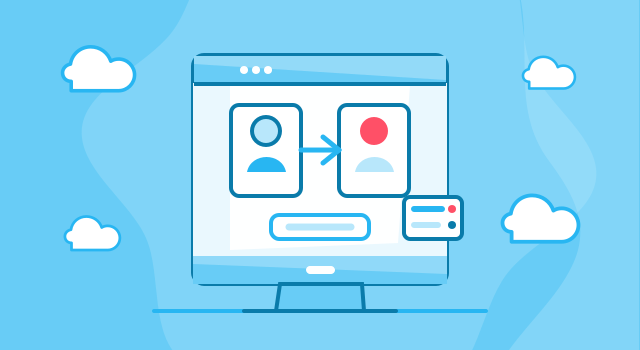
CRM integration is the process of connecting a customer relationship management system with other digital tools used by your business. This allows data to move automatically between systems instead of being copied manually by your team.
For example, when a visitor submits a contact form on your website, the information can be automatically sent to your CRM as a new lead. When a customer places an order in your online store, their details can be synced with your CRM. When a lead reaches a specific stage, an automated email sequence or internal notification can be triggered.
Webcapitan CRM integration services may include:
- website to CRM integration: sending form submissions, quote requests and inquiries directly to your CRM;
- WordPress CRM integration: connecting WordPress websites with CRM platforms through plugins, APIs or custom code;
- WooCommerce CRM integration: syncing customers, orders, products and purchase behavior with CRM tools;
- Shopify CRM integration: connecting Shopify stores with CRM systems for customer and order management;
- custom CRM API integration: building custom connections between your CRM and other systems;
- lead automation setup: routing leads, assigning contacts and triggering follow-up workflows;
- email marketing and CRM integration: connecting campaigns, subscribers, segments and customer journeys;
- CRM troubleshooting: fixing broken integrations, data sync issues and workflow problems.
Why Do You Need Professional CRM Integration?
Without CRM integration, teams often copy leads manually from forms, emails, spreadsheets, online orders or booking tools. This creates delays, duplicated work, missed opportunities and inaccurate customer data. Important leads may be forgotten, assigned to the wrong person or not followed up at the right time.
Professional CRM integration helps centralize customer information and automate important business processes. It makes your website and marketing tools work together with your sales process, helping your team respond faster and manage relationships more effectively.
With Webcapitan CRM integration services, you can get the following benefits:
- automatic lead capture from website forms;
- better customer data organization;
- faster lead response and follow-up;
- less manual data entry;
- fewer errors and duplicate records;
- better connection between website, sales and marketing;
- clearer lead tracking and pipeline visibility;
- automated workflows based on user actions;
- more scalable customer management process.
CRM Integration Prices
The price of CRM integration depends on the CRM platform, number of systems involved, data structure, API documentation, workflow complexity, field mapping, authentication requirements and whether the integration is one-way or two-way. A simple contact form to CRM integration usually requires less time than a complex integration involving e-commerce orders, custom fields, automation rules, user roles and multiple third-party tools.
At Webcapitan, CRM integration prices depend on the following:
- the CRM platform you use;
- the website or application that needs to be connected;
- the number of forms, pages or data sources;
- the complexity of field mapping;
- whether the data sync is one-way or two-way;
- API access and documentation quality;
- lead routing and automation requirements;
- e-commerce customer and order sync needs;
- testing and error handling requirements;
- ongoing support and maintenance needs.
Before calculating the cost of CRM integration, our team reviews your current systems, CRM platform, website structure, required data flow and business workflow. This helps us define the integration scope and recommend the most practical solution.
How Long Does CRM Integration Take?
The time required for CRM integration depends on the complexity of the connection. A basic form integration can be completed faster when the CRM has clear documentation or existing integration tools. A custom CRM integration with complex logic, custom fields, automation workflows and multiple systems requires more planning, development and testing.
The duration of CRM integration depends on:
- the CRM platform and available integration options;
- the number of data sources;
- the amount of custom field mapping;
- authentication and API access requirements;
- workflow automation complexity;
- e-commerce or payment data sync needs;
- testing environment availability;
- data validation and duplicate prevention rules;
- deployment and approval process.
At Webcapitan, we test CRM integrations carefully before launch. We check form submissions, field mapping, lead creation, duplicate handling, notifications, workflow triggers, user permissions and data accuracy to make sure the integration works reliably.
Types of CRM Integration Services We Offer
Every business uses CRM differently. Some companies only need website leads sent to CRM, while others need advanced automation, e-commerce customer sync, marketing campaign integration, sales pipeline updates or custom API workflows.
Website CRM Integration
Website CRM integration connects your website forms, landing pages and quote requests with your CRM. This helps your team capture leads automatically and respond faster to new inquiries.
WordPress CRM Integration
WordPress CRM integration connects WordPress websites with CRM platforms using plugins, webhooks, APIs or custom development. This can include contact forms, user registrations, membership data, WooCommerce orders and custom post type data.
WooCommerce CRM Integration
WooCommerce CRM integration helps online stores sync customer details, order history, products, abandoned cart data and purchase behavior with CRM systems. This can support better customer segmentation, follow-up and retention campaigns.
Shopify CRM Integration
Shopify CRM integration connects Shopify customer and order data with your CRM. This helps organize customer profiles, track purchases, support email marketing and improve sales workflows.
Custom CRM API Integration
Custom CRM API integration is useful when standard plugins or ready-made tools are not enough. Webcapitan can develop custom API connections based on your CRM documentation, business logic and data requirements.
CRM and Email Marketing Integration
CRM and email marketing integration connects customer data with newsletters, automation sequences, segmentation and lead nurturing campaigns. This helps send more relevant messages based on user behavior and CRM status.
CRM Automation Setup
CRM automation setup helps organize lead routing, status changes, notifications, follow-up tasks, pipeline updates and automated communication. This can make your sales process more consistent and efficient.
CRM Integration Troubleshooting
If your existing CRM integration is broken, unstable or sending incorrect data, Webcapitan can review the issue, identify the cause and improve the connection where possible.
What is Included in Webcapitan CRM Integration?
Webcapitan CRM integration services are focused on creating reliable and practical connections between your CRM and other digital systems. We plan integrations around real business workflows, not only technical connection points.
Our CRM integration service may include:
- integration discovery: understanding your CRM, website, forms, tools and business process;
- data flow planning: defining what information should move between systems;
- field mapping: connecting website fields, customer data and CRM fields correctly;
- API or plugin configuration: selecting the best integration method for your setup;
- custom development: building custom CRM integration logic where needed;
- automation setup: creating lead routing, notifications, tasks or workflow triggers;
- testing and debugging: checking data accuracy, errors, duplicates and workflow behavior;
- launch and support: deploying the integration and supporting future improvements.
CRM Integration for Better Lead Management
CRM integration can help improve lead management by making sure every inquiry from your website or campaign is stored in the right place. This gives your team a clearer view of leads, contact history, source channels and follow-up status.
Webcapitan can help improve lead management with:
- automatic form to CRM submission;
- lead source tracking;
- lead assignment rules;
- pipeline stage updates;
- follow-up task creation;
- email notification workflows;
- duplicate contact prevention;
- custom lead fields;
- CRM segmentation;
- conversion tracking support.
CRM Integration for Sales and Marketing Automation
CRM integration can connect your sales and marketing activity into one system. When website forms, email campaigns, ads, landing pages and customer data are connected, your business can create more effective follow-up and better understand what channels generate results.
Webcapitan can help connect CRM with:
- website contact forms;
- landing pages;
- newsletter signup forms;
- email marketing platforms;
- WooCommerce or Shopify stores;
- booking systems;
- payment platforms;
- Google Analytics and tracking tools;
- advertising campaign data;
- internal dashboards and reports.
Why Choose Webcapitan for CRM Integration?
At Webcapitan, we understand that CRM integration should support real business operations. A good integration should not only move data from one place to another. It should help your team manage leads faster, reduce manual work, organize customer information and improve communication.
Our team has experience with WordPress, WooCommerce, Shopify, custom websites, API integrations, CRM systems, forms, payment gateways, email marketing tools, dashboards and automation workflows. This allows us to build CRM integrations that are practical, reliable and connected to your business goals.
You should choose Webcapitan for CRM integration because:
- we understand websites, CRMs, APIs and business workflows;
- we can connect CRM systems with WordPress, WooCommerce, Shopify and custom platforms;
- we plan data flow around your sales and marketing process;
- we can create custom integrations when standard tools are not enough;
- we focus on reliable data transfer and error handling;
- we test CRM workflows before launch;
- we can troubleshoot and improve existing CRM integrations;
- we can provide support as your business process grows.
CRM Integration for Long-Term Business Growth
A professionally integrated CRM can become a strong foundation for customer management, sales growth and marketing automation. It helps your team work with better data, follow up faster and understand how leads and customers move through your business.
If your current CRM is disconnected from your website, your team enters leads manually, customer data is spread across tools or your sales process lacks automation, Webcapitan can help create a cleaner and more reliable CRM integration setup.
FAQs - CRM Integration Services
We understand that CRM integration can raise many technical and business questions. Here are some common answers to help you better understand the service.
What is CRM integration?
CRM integration connects your CRM system with websites, forms, e-commerce stores, marketing tools or other platforms so customer data can move automatically between systems.
Can you connect my website forms with CRM?
Yes. Webcapitan can connect contact forms, quote forms, landing pages and lead forms with your CRM so inquiries are captured automatically.
Can you integrate CRM with WordPress?
Yes. We can integrate WordPress websites with CRM systems through plugins, webhooks, APIs or custom development.
Can you integrate CRM with WooCommerce or Shopify?
Yes. Webcapitan can connect WooCommerce and Shopify stores with CRM platforms to sync customers, orders and purchase-related data.
Can you create a custom CRM integration?
Yes. If ready-made tools are not enough, we can develop a custom CRM API integration based on your workflow and CRM documentation.
Can you fix an existing CRM integration?
Yes. We can review broken or unstable CRM integrations, identify problems and improve data sync where possible.
Do CRM integrations need maintenance?
Sometimes yes. APIs, plugins, credentials and workflows can change over time. Webcapitan can provide support and updates for CRM integrations after launch.
How long does CRM integration take?
The timeline depends on CRM platform, integration complexity, data mapping, automation rules and testing requirements. After reviewing your systems, Webcapitan can provide a more accurate estimate.
Start Your CRM Integration Project
If you need professional CRM integration services, Webcapitan is ready to help. We can connect your website, forms, e-commerce store, marketing tools and third-party systems with your CRM to improve lead management, automation and customer data flow.
If you have any questions about Webcapitan CRM integration services or would like us to calculate your project, please feel free to start a project or contact us.

 United Kingdom
 United States